
Copilot CLIの新UIは、ターミナルをAgentの運用コンソールに変える
Tech
閲覧数 127
何が起きたか
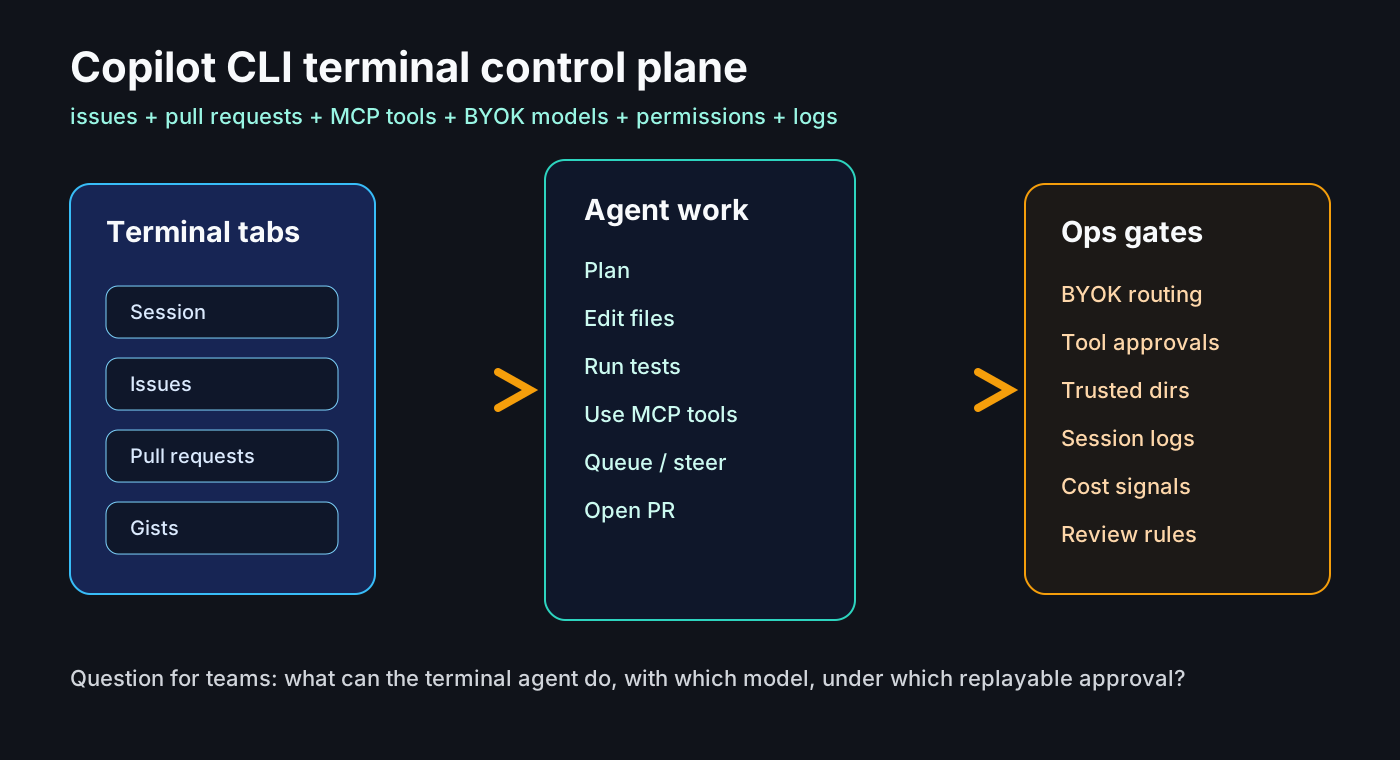
GitHubは2026年6月23日、Copilot CLIの新しいターミナルインターフェースを一般提供にしました。GitHubを扱うタブ、ツール設定、アクセシビリティ改善が含まれます。
同日、Copilot appのBYOK対応も発表され、OpenAI、Azure OpenAI、Anthropic、LM Studio、Ollama、OpenAI互換endpointをセッションごとに選べるようになりました。
なぜ重要か
ターミナルAgentは補完より広い権限を持ちます。ファイル変更、テスト実行、コマンド実行、IssueやPR操作ができるため、trusted directoryとtool approvalのルールが必要です。
コミュニティの論点
RedditやHacker Newsでは、IDEに依存しない利点と同時に、コスト、shell互換性、外部provider、変化の速さへの不安が見えます。
チェックリスト
危険度別にコマンドを分類し、MCP serverとpluginをdependencyのようにレビューし、BYOKのデータ境界、ログ、コストを記録します。
Agent ops checklist
• trusted directories
• tool approval levels
• BYOK data boundaries
• MCP/plugin review
• logs and cost per session
リスク
承認疲れ、見えにくいコスト、広すぎるセッション権限が主なリスクです。CLI Agentは便利なUIではなく運用対象として扱うべきです。
出典
- GitHub Changelog: Copilot CLI new terminal interface is generally available
- GitHub Changelog: GitHub Copilot app support for BYOK
- GitHub Changelog: queue and steer messages, debug logs, JetBrains agent updates
- GitHub Changelog: Copilot CLI supports enterprise BYOK models
- GitHub Docs: Using GitHub Copilot CLI
- GitHub Docs: Copilot CLI command reference
- Hacker News discussion: Copilot usage-based billing and developer concerns
- Reddit r/GitHubCopilot discussion: CLI as terminal-native agent surface