
MCP Apps 让智能体工具输出变成产品界面
Tech
浏览 156
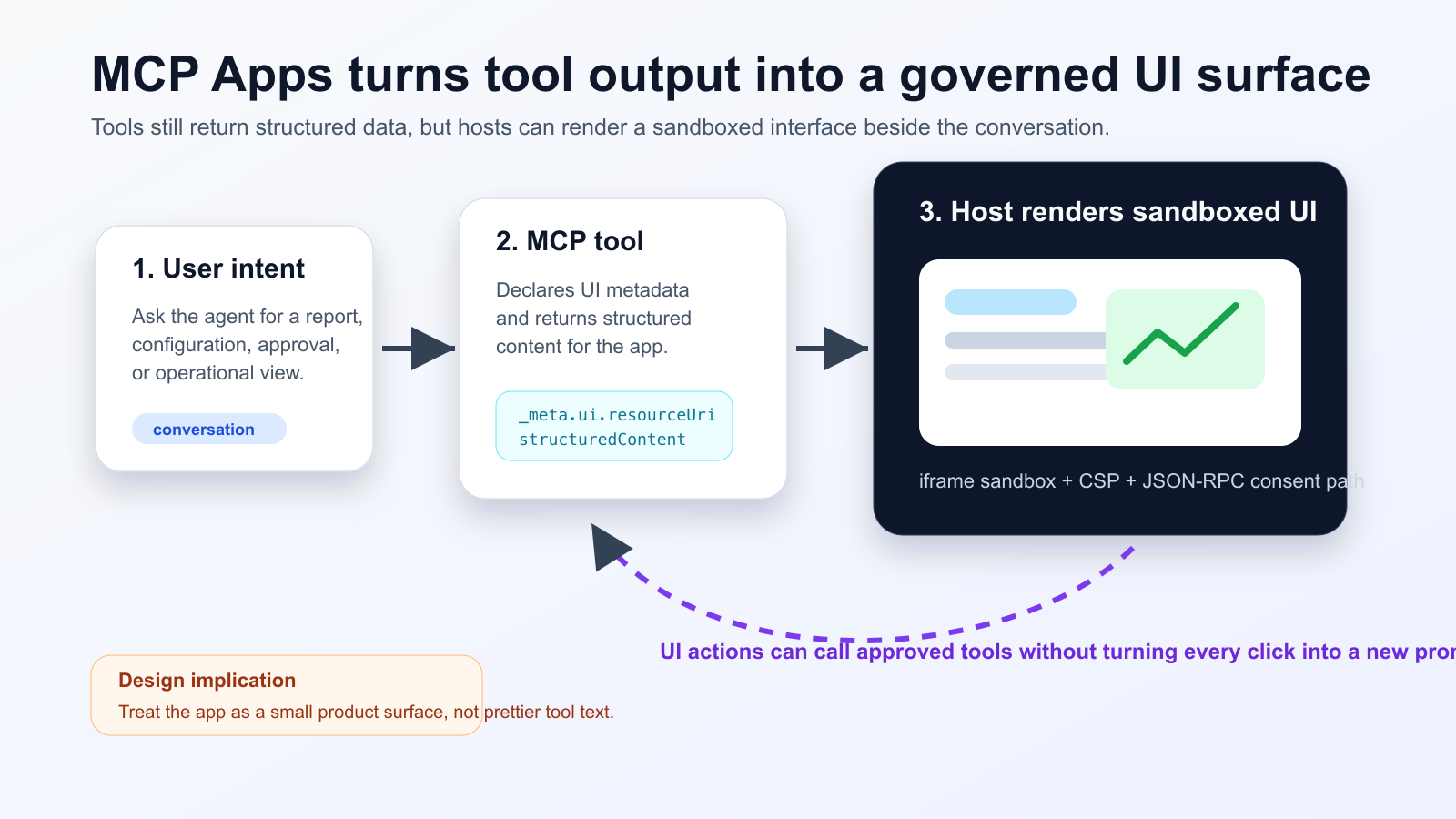
MCP Apps 让智能体工具不只返回文本,还可以声明一个 UI 资源,由宿主在对话中的 sandbox iframe 里渲染。Nuxt MCP Toolkit 的支持说明,这个模式正在进入普通前端组件工作流。
发生了什么
团队需要区分给模型阅读的摘要和只给界面使用的详细数据。任何会改变状态的按钮,都应该有用户同意、审计日志和失败恢复设计。
Practical checklist
- Keep the tool schema stable before designing the widget.
- Separate model-readable summaries from UI-only detailed data.
- Require explicit consent and logs for state-changing actions.
- Test iframe sandboxing, CSP, CORS and OAuth redirects in the real host.
- Track UI actions, tool calls and failures in one trace.
适合事故排查、发布审批、成本面板和文档审阅。不适合简单问答。MCP Inspector 只是基线,真实宿主里的 CORS、OAuth 和 iframe 策略必须单独验证。
The practical conclusion is simple: treat MCP Apps as a product surface for high-friction agent workflows, not as decoration for every tool response.
来源
- Model Context Protocol Blog: MCP Apps - Bringing UI Capabilities To MCP Clients
- Model Context Protocol Docs: MCP Apps overview
- Model Context Protocol SEPs index: SEP-1865 status
- Vercel Changelog: Nuxt MCP Toolkit now supports MCP apps
- Nuxt MCP Toolkit documentation
- Microsoft Learn: Add interactive UI widgets to declarative agents
- Microsoft Q&A: MCP Apps UI does not render in Copilot 365 Chat, used as practitioner signal
- Reddit r/ClaudeAI thread on MCP Apps traction, used as community signal