
MCP Apps machen Agenten-Ausgaben zur kleinen Produktoberfläche
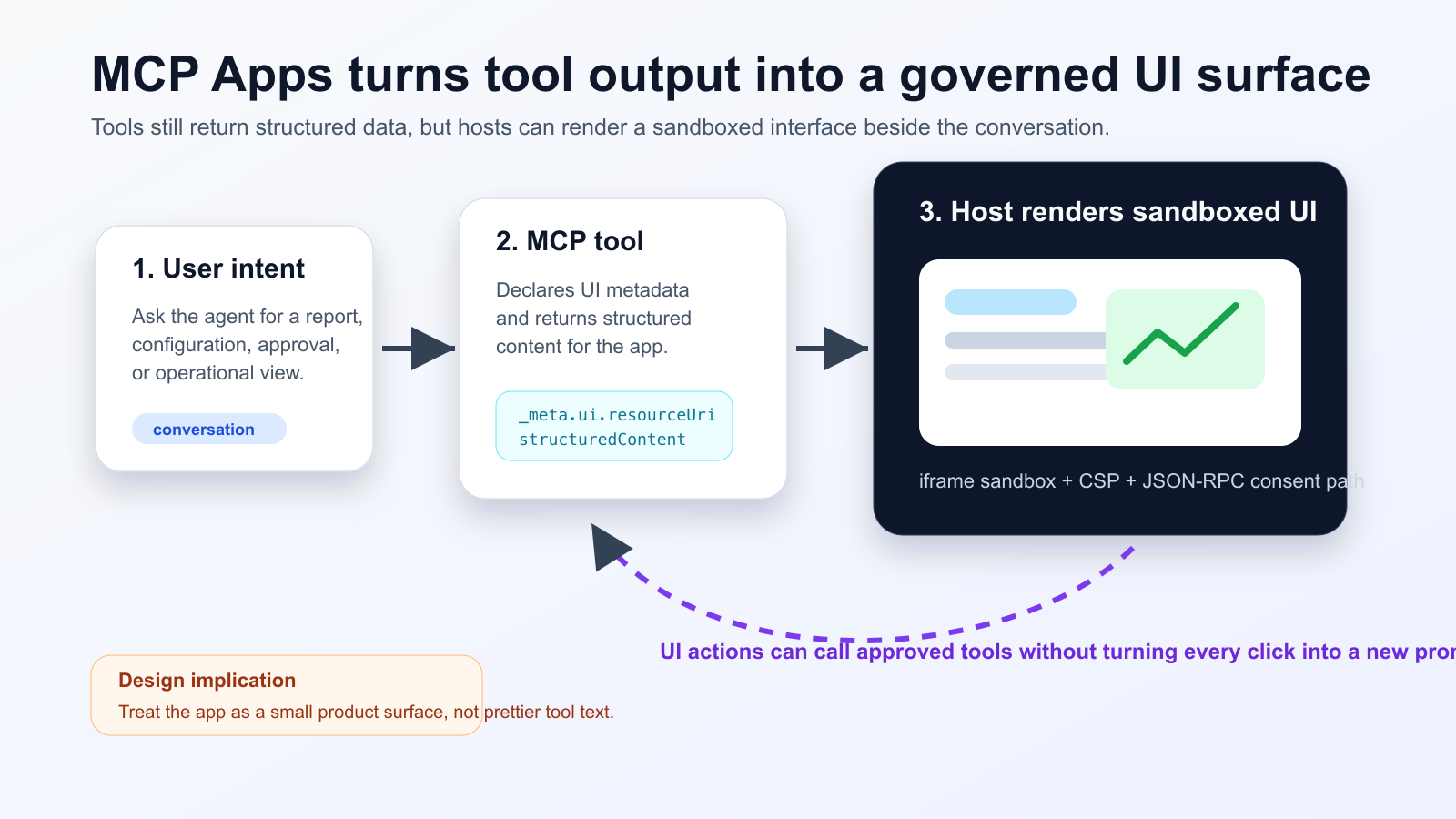
MCP Apps ist kein reines Design-Upgrade. Der Standard erlaubt Tools, eine UI-Ressource zu deklarieren, die der Host als isoliertes iframe im Gespräch rendert. Vercel zeigt mit dem Nuxt MCP Toolkit, dass Frameworks diese Idee in normale Komponenten-Workflows übersetzen: SFC schreiben, Tool deklarieren, strukturierte Daten anzeigen und Folgeaktionen kontrolliert auslösen.
Was passiert ist
Für Teams bedeutet das: Agenten-Tools müssen wie kleine Produktflächen behandelt werden. Daten für das Modell, Daten für die UI, Zustimmung, Audit-Logs, CORS, OAuth-Redirects und Host-Kompatibilität gehören in denselben Architekturplan.
Practical checklist
- Keep the tool schema stable before designing the widget.
- Separate model-readable summaries from UI-only detailed data.
- Require explicit consent and logs for state-changing actions.
- Test iframe sandboxing, CSP, CORS and OAuth redirects in the real host.
- Track UI actions, tool calls and failures in one trace.
Beginne mit Workflows wie Incident-Triage, Deployment-Freigaben oder Kosten-Dashboards. Vermeide es, einfache Antworten künstlich in Widgets zu verwandeln. Inspector-Tests sind nur ein Startpunkt; echte Hosts müssen separat geprüft werden.
The practical conclusion is simple: treat MCP Apps as a product surface for high-friction agent workflows, not as decoration for every tool response.
Quellen
- Model Context Protocol Blog: MCP Apps - Bringing UI Capabilities To MCP Clients
- Model Context Protocol Docs: MCP Apps overview
- Model Context Protocol SEPs index: SEP-1865 status
- Vercel Changelog: Nuxt MCP Toolkit now supports MCP apps
- Nuxt MCP Toolkit documentation
- Microsoft Learn: Add interactive UI widgets to declarative agents
- Microsoft Q&A: MCP Apps UI does not render in Copilot 365 Chat, used as practitioner signal
- Reddit r/ClaudeAI thread on MCP Apps traction, used as community signal