
Copilot managed-settings.json GA:AI 編程工具也需要 Policy as Code
這讓 Copilot 設定從個人偏好變成可 review 的政策程式碼。Marketplace、plugin、預設模型與 approval bypass 都應有 owner、PR 與 rollback。
發生了什麼
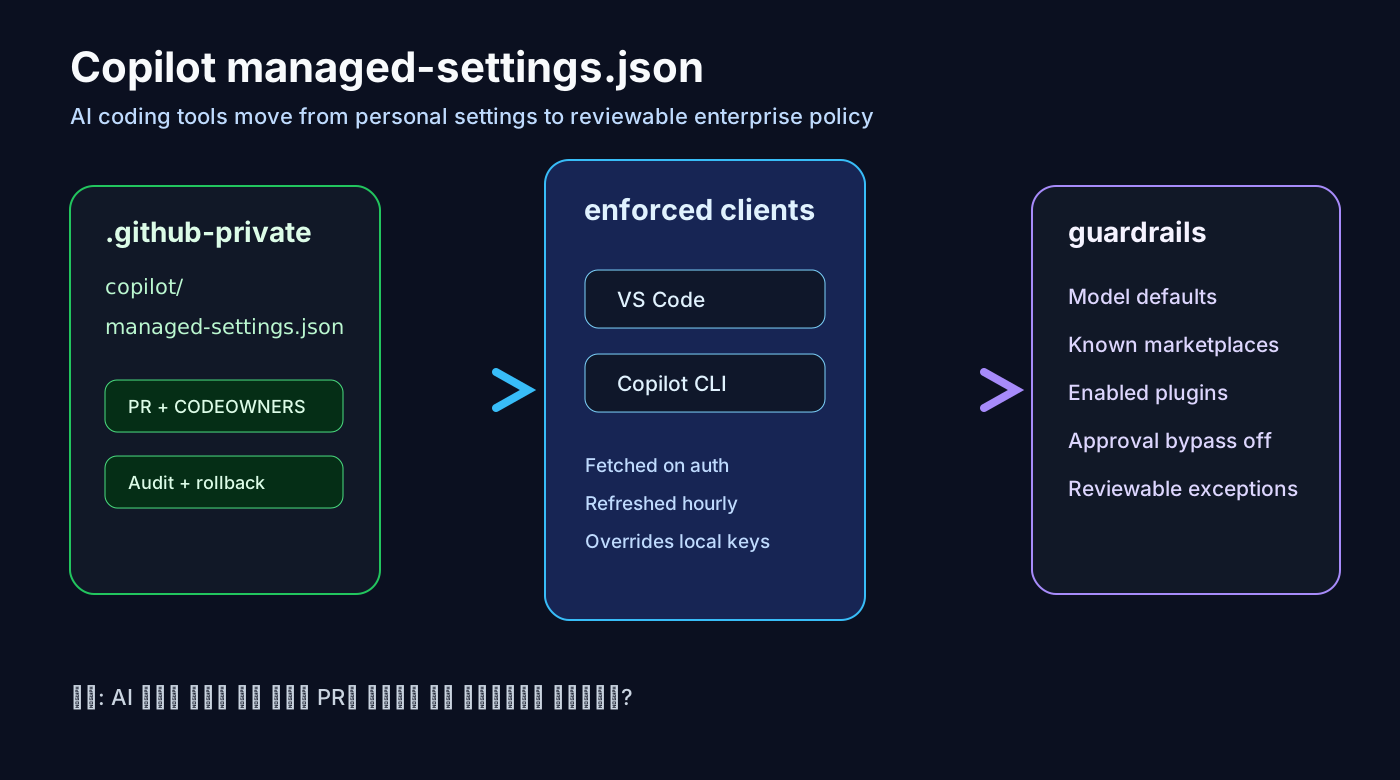
GitHub Enterprise Cloud 可以在 .github-private repo 放置 copilot/managed-settings.json,把設定套用到 VS Code 與 Copilot CLI。支援的 key 會優先於使用者本機設定。
為什麼重要
這讓 Copilot 設定從個人偏好變成可 review 的政策程式碼。Marketplace、plugin、預設模型與 approval bypass 都應有 owner、PR 與 rollback。
現在該做什麼
先設定 owner、CODEOWNERS、允許的 marketplace、保守的 disableBypassPermissionsMode,並用 pilot group 驗證登入、refresh 與 client version。
風險
policy file 不會自動審查 plugin code、MCP 權限、token、network 或 log。其他 Copilot client 的覆蓋範圍也要逐一確認。
AI 工具政策清單
• Review copilot/managed-settings.json through pull requests.
• Limit plugin marketplaces before enabling broad agent workflows.
• Disable approval bypass until risky tools have explicit exceptions.
• Verify enforcement on supported client versions before rollout.
來源
- GitHub Changelog: Enterprise managed-settings.json is generally available
- GitHub Docs: Configuring enterprise managed settings
- GitHub Changelog: strictKnownMarketplaces support
- GitHub Changelog: disableBypassPermissionsMode support
- VS Code Docs: Manage AI settings in enterprise environments
- GitHub Docs: About enterprise-managed plugin standards
- GitHub Community: Enterprise-managed settings discussion