
VS Code Agents Window und BYOK: Teams brauchen jetzt ein Agent-Betriebsmodell
Die jüngsten VS-Code-Updates zeigen eine klare Verschiebung: Agentisches Entwickeln wird nicht mehr nur über ein Chatfenster gesteuert, sondern über Agents Window, BYOK, Remote-Sessions, Terminal-Regeln und Review-Schleifen.
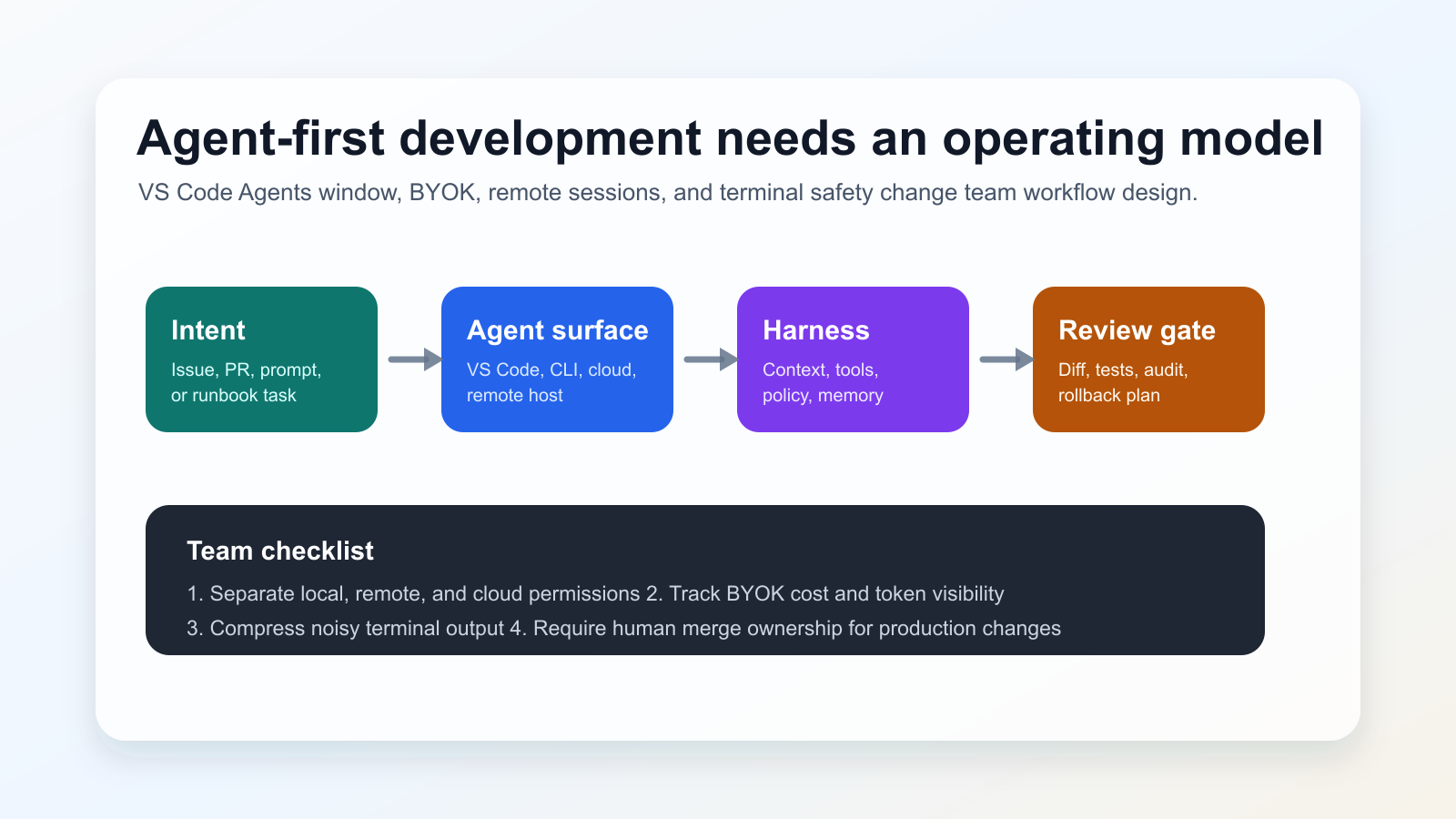
Was sich geändert hat
GitHub’s June 3, 2026 changelog groups VS Code v1.120-v1.123 updates: Agents window in Stable preview, remote agents, Agent Host Protocol work, BYOK improvements, terminal output compression, risk assessment, and the VSCODE_AGENT environment variable. VS Code 1.122 also moves the Custom Endpoint provider into Stable and improves browser-based debugging support.
Warum es wichtig ist
Wichtig ist nicht nur das Modell. Der Harness entscheidet, welche Kontexte, Tools und Terminalaktionen ein Modell sieht und ausführen darf. Deshalb müssen Teams ihre Agenten wie einen Teil der Entwicklungsplattform behandeln.
Signal aus der Community
Developer discussions around VS Code 1.122 and local-model workflows show interest in BYOK and custom endpoints, but also concern about cost predictability, account policies, connectivity, and how much work should be delegated. These discussions are used here only as signals; factual claims rely on the official links below.
Praktische Checkliste
- Lokale, Remote- und Cloud-Agenten getrennt klassifizieren.
- BYOK mit Kostenlimits, Datenregeln und Fallbacks dokumentieren.
- Agent-Befehle und Diffs im PR sichtbar machen.
- Menschliche Merge-Verantwortung beibehalten.
Risiken
The main risk is over-delegation: long remote or cloud sessions can amplify unclear requirements. BYOK also increases operational responsibility because every provider adds policy, logging, quality, and failure-mode questions. Blocking all agent workflows is rarely practical, so teams need clear boundaries instead.
Quellen
- GitHub Changelog: GitHub Copilot in Visual Studio Code, May releases
- Visual Studio Code 1.122 release notes
- VS Code documentation: Use the Agents window
- VS Code documentation: Using agents in Visual Studio Code
- VS Code Blog: The Coding Harness Behind GitHub Copilot in VS Code
- Community signal: VS Code 1.122 discussion on r/GithubCopilot
- Community signal: local model and Agents window discussion on r/LocalLLaMA