
Expo Maestro testing improvements: mobile E2E is becoming an operations metric
Mobile E2E testing has always been the task teams agree is important and then quietly postpone. A flow passes locally but fails on a CI device. The log is long. The screenshot confirms that something broke without explaining why. A rerun burns the entire pipeline again. Expo’s June 24, 2026 Maestro testing improvements should not be read as a small runner upgrade. For Expo and React Native teams, it makes mobile E2E look more like an observable release operation.
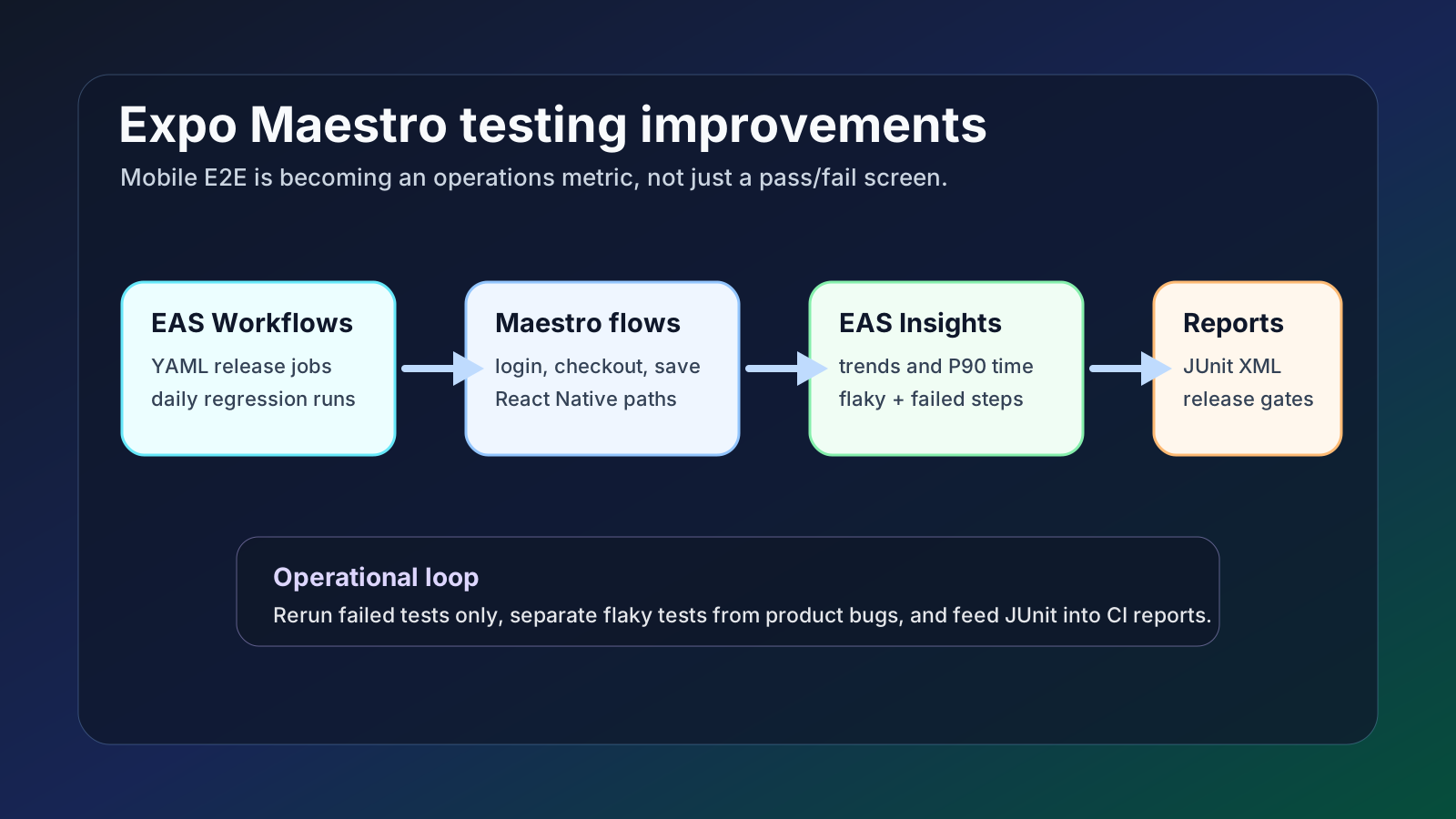
The useful part is the combination: EAS Insights can now show Maestro test runs in dashboards and trends, identify flaky tests, analyze the failed step, rerun only failed tests, and emit JUnit XML. For a small team, the headline is not “write more tests.” It is “when a mobile release fails, decide faster whether to fix product code, fix the test, rerun a single flow, or stop the release.”
What changed
Expo’s official changelog says EAS added a new dashboard for Maestro tests, test trends, flaky-test identification, failure-step analysis, failed-test-only reruns, and JUnit XML output. EAS Workflows defines build and test jobs in YAML files under `.eas/workflows`, and Expo’s E2E workflow documentation shows how to run Maestro flows for an Expo app.
The EAS Insights Maestro documentation describes test states such as passed, failed, retried, flaky, stopped, queued, and canceled. It also exposes run counts, pass/fail/retry/flaky rates, total test duration, and P90 duration. Those metrics are more useful than a single failed screen because they let teams ask which flows are getting slower or less reliable over time.
Maestro’s own documentation covers React Native support, while Expo binds the runner into EAS Workflows and Insights. That means teams can connect mobile build, test execution, and result analysis without assembling a separate reporting stack first.
Why it matters
Mobile E2E failures cost more than most web E2E failures. Simulator or emulator state, native build time, permission prompts, network timing, and device selection can all cause noise. After every failure, a team has to separate product bugs from test bugs and environment bugs. If that loop is slow, E2E stops being a release safety net and becomes a release delay machine.
The new Expo path lowers that classification cost. Failure-step analysis narrows the broken action or screen transition. Flaky-test identification keeps unreliable tests from being mistaken for product quality signals. Failed-only reruns reduce the waste of running a full E2E suite after one flow fails. JUnit output gives teams a standard integration point for GitHub Actions, GitLab CI, Jenkins, or internal reporting.
The practical shift is from test automation to test operations. Teams need rules for which flows block a release, how many flaky results trigger ownership, when a test should be split, and how long a P90 duration can grow before the suite needs maintenance.
Community signal
React Native and Expo communities keep returning to the same concerns: which E2E tool to choose, how to control cost, how to select devices, and how to reproduce CI failures. These community posts are not factual sources for Expo’s features; they are a signal of where practitioners feel friction.
That framing makes the Expo update more meaningful. It is not just another tool in the stack. It turns mobile E2E failures into data that teams can review, assign, and improve.
Development and operations impact
Expo and React Native teams can operate the top of the test pyramid more deliberately. Instead of trying to cover every screen with E2E, start with the paths that create the most release risk: onboarding, sign-in, checkout, push permissions, and core create/save flows.
CI owners should define failed-only rerun policy carefully. Reruns reduce cost, but unlimited retries hide unreliable tests. A useful policy might allow one rerun, mark repeated instability as flaky, notify the owner, and only block releases when the same critical flow stays flaky across several runs.
For QA and release managers, JUnit output is the bridge. Mobile E2E results can join the same release report as web, API, and unit tests instead of living in a separate dashboard that only one engineer checks.
Practical checklist
• Split EAS Workflows into release-candidate testing and daily regression testing.
• Start Maestro coverage with five to eight high-risk flows rather than the whole app.
• Assign an owner to each flow and review failure step plus flaky status every week.
• Use failed-only reruns, but document retry count and release-blocking rules.
• Send JUnit XML into the CI reporting system your team already reads.
• If P90 duration grows, split the flow, reduce fixtures, or remove network dependence.
Risks and counterarguments
The first risk is assuming a dashboard improves quality by itself. It only exposes the problem. Too many E2E flows can still be slow, expensive, and brittle under minor UI changes.
The second risk is normalizing flakiness. Reruns are a buffer for delivery, not permission to ignore unstable tests. Repeated flaky classification should trigger work on selectors, device state, fixtures, or network dependencies.
The third risk is coupling too much release knowledge to one platform. If your team may move CI providers or native build systems later, keep portable boundaries: Maestro flows, YAML workflow files, and JUnit reports.
Bottom line
Expo’s Maestro improvements move mobile E2E from a last-minute automation step toward a release operations metric. A good test is not one that never fails. It is one that tells the team what to do next when it fails.
If you run an Expo app, you do not need to automate every flow today. Pick the five user journeys that would cause the most expensive release incident, wire them into EAS Workflows, and use Maestro Insights to track failure steps, flaky rate, and rerun policy.
Sources
- Expo Changelog: Maestro testing improvements
- Expo Docs: Maestro tests with EAS Insights
- Expo Docs: End-to-end tests in EAS Workflows
- Expo Docs: EAS Workflows syntax
- Maestro Docs: React Native support
- Community signal: E2E testing tools for Expo apps
- Community signal: selecting a device for EAS Maestro tests