
Google Colab CLI: set the operating rules before giving agents a GPU
The next bottleneck for AI coding agents is not always code generation. It is execution. Small application changes can run locally, but model experiments, fine-tuning jobs, data preparation, and notebook reproduction still depend on a reliable place to run compute-heavy work.
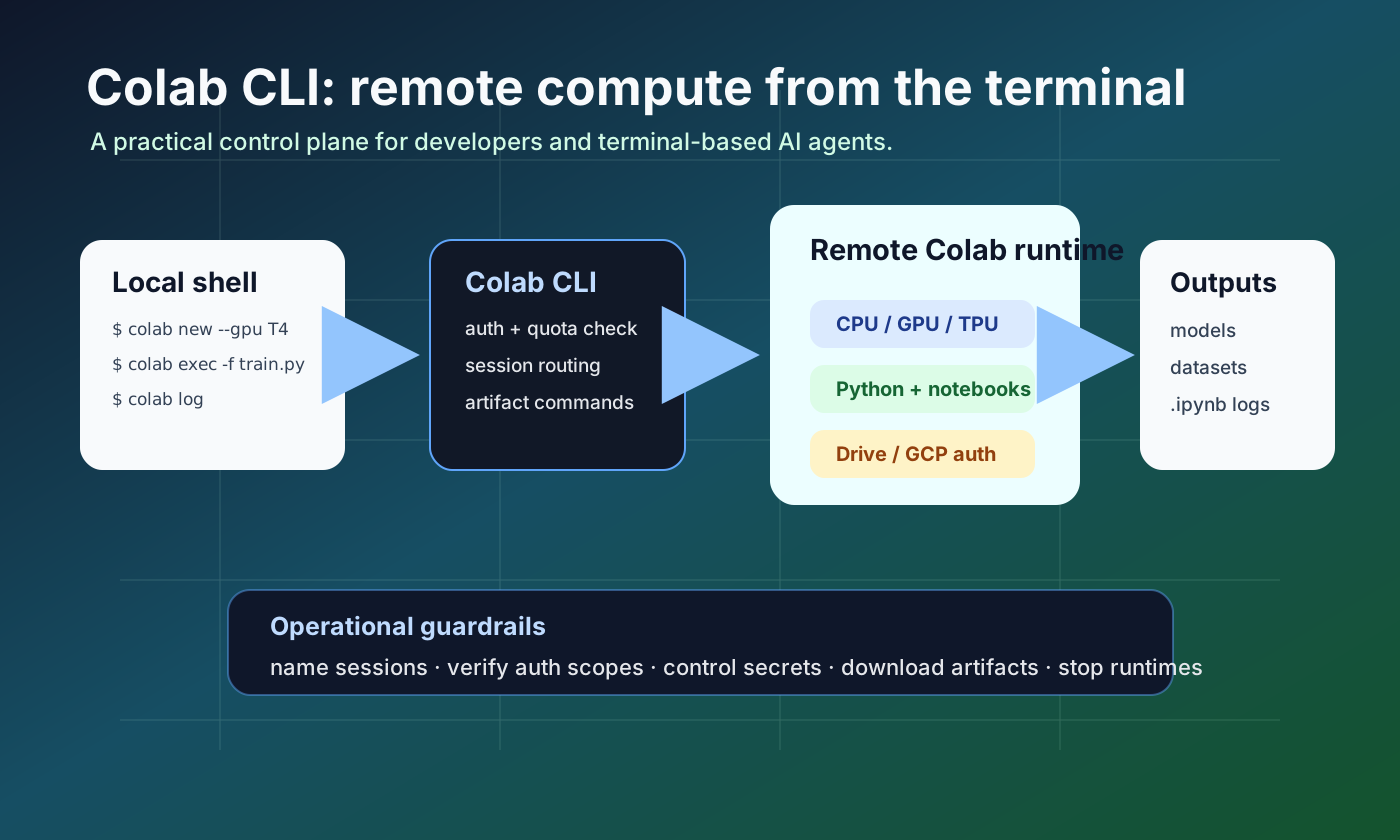
Google announced the Google Colab CLI on June 5, 2026. Instead of opening a notebook in the browser and manually managing runtime state, developers and terminal-based agents can use commands such as colab new, colab exec, colab download, colab log, and colab stop to operate a remote Colab runtime from a local shell.
The practical shift is larger than a convenience wrapper. A local repository, an AI coding agent, a remote accelerator, and an experiment log can now be part of one command-driven workflow. That makes the CLI useful, but it also makes it a new operational surface. Before a team lets agents run GPU work, it needs rules for identity, quota, secrets, artifacts, and cleanup.
What happened
Google’s launch post describes Colab CLI as a bridge between the local terminal and remote Colab runtimes. The official example provisions a T4 GPU session, installs ML packages, runs a local Python fine-tuning script remotely, downloads adapter artifacts, saves a notebook log, and stops the runtime. The GitHub README expands the scope: CPU, GPU, and TPU provisioning; execution of Python scripts, notebooks, and stdin; ephemeral job runs; Drive and GCP authentication; file management; and session log archival.
Why it matters
Colab has always been strong for quick experiments, but browser-first notebooks are awkward in automated workflows. Manual cell execution does not naturally produce a repeatable command trail, reliable artifact recovery, or clean handoff to a coding agent. A CLI changes the shape of the workflow. Data scientists get a path out of manual notebooks; application developers get a lightweight way to run small model experiments without standing up a full cloud training stack.
Community signal
Coverage from InfoQ and Help Net Security focused on the same point: the CLI makes Colab runtimes addressable from terminal workflows used by developers and AI agents. Early discussion is excited about reducing GPU access friction. The open GitHub issues point to the next concerns: Colab Secrets support, runtime shape selection, resource reporting, allocation errors, and URL behavior. That is a useful signal. Practitioners are already moving from “can it run?” to “can we operate it safely?”
Development impact
For an AI agent, Colab CLI becomes a remote execution tool. If Codex, Claude Code, Antigravity, or another agent has shell access, it can include remote execution in its plan: provision a runtime, run a local file, download outputs, and capture a notebook log. That is powerful, but it also grants a new class of permission. If you cannot answer which file ran, which packages were installed, which account allocated the runtime, and which artifacts came back, the workflow is not production-grade even if the command succeeded.
Operational checklist
Start with named sessions, not anonymous sessions. Document authentication mode and required scopes. Treat accelerator allocation failure as a normal state with a fallback or stop condition. Keep secrets and datasets outside the prompt path. Make colab log and artifact downloads part of the success criteria. End every agent workflow with both colab stop and a session listing check so unused runtimes do not stay alive.
Risks and counterarguments
Colab CLI does not replace a full MLOps platform. Teams that need long-running training, strict cost attribution, network isolation, enterprise policy controls, or production serving should still use dedicated job infrastructure. The README also notes current platform limits, including Linux and macOS support rather than Windows. The right first use case is not production training; it is a reproducible experiment, a benchmark rerun, a notebook-to-script migration, or a small fine-tuning proof of concept.
Adoption rules for engineering teams
✓ Log the session name, owner, purpose, and cleanup condition
✓ Document auth mode and scopes before giving shell access to agents
✓ Define fallback behavior for GPU or TPU allocation failures
✓ Separate secrets, datasets, and model outputs from the agent prompt
✓ Save notebook logs, stdout/stderr, and artifact hashes after execution
✓ Run cleanup with colab stop plus colab sessions verification
Conclusion
The Google Colab CLI is not just “GPU access for agents.” It is a small control plane between local development and remote accelerators. The quality bar is simple: every run should leave behind who ran it, what it executed, what authority it used, what artifacts came back, and whether compute was released. With those rules, the CLI can speed up experiments. Without them, it becomes another remote shell that nobody fully owns.
Sources
- Google Developers Blog: Introducing the Google Colab CLI
- googlecolab/google-colab-cli repository
- Google Colab CLI COLAB_SKILL.md
- Google Colab CLI open issues
- InfoQ: Google Launches Colab CLI for Developers, Automation, and AI Agents
- Help Net Security: Google Colab CLI opens runtimes to Claude Code and Codex