
Workflow SDK 5 cancellation: long-running AI jobs now need an abort contract
The hard part of long-running AI work is not only that it takes time. It is explaining what happened when it should stop. A user clicks cancel, but the model call continues. A timeout wins, but an upload step still finishes. A quota guard fires, but retry logic spends more money. At that point, workflow code becomes an operations problem.
On June 16, 2026, Vercel announced that Workflow SDK 5 beta supports the standard AbortController and AbortSignal APIs across workflow and step boundaries. On the same day, Vercel also raised Sandbox maximum duration to 24 hours for Pro and Enterprise plans. The direction is clear: agents and durable jobs can run longer, so teams need a cleaner way to stop them.
What Changed
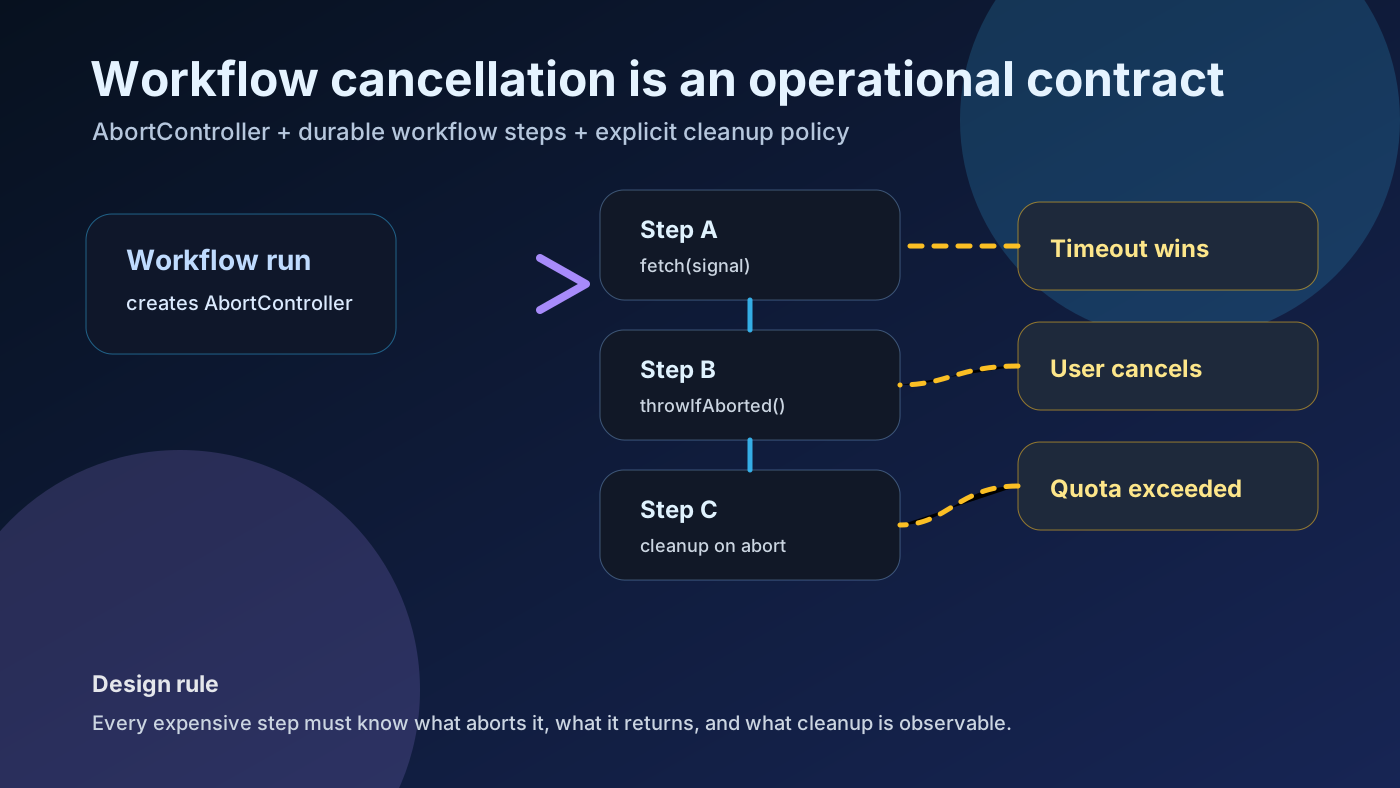
In Workflow SDK 5 beta, a workflow can create an AbortController, pass its signal into one or more steps, and call controller.abort() when a timeout, race, user hook, or quota monitor decides the work should stop. The documentation says that signal remains durable across suspensions, deterministic replay, and separate function invocations.
The key word is cooperative. Aborting the signal does not forcibly kill arbitrary code. A step must pass the signal to fetch or another API that respects it, call signal.throwIfAborted(), check signal.aborted, or listen for the abort event. This is not a magic kill switch; it is a contract each expensive step must honor.
Why It Matters
Serverless and agent runtimes are moving toward longer execution windows. That helps with OCR, report generation, browser automation, multi-model agents, data processing, and end-to-end test pipelines. The downside is that poor cancellation turns into wasted tokens, stray API calls, locked resources, duplicate webhooks, and ambiguous job state.
Community signals point to the same gap. Developers have been asking whether Workflow DevKit is production-ready for webhook processing and how to cancel, kill, or clean up running workflows. The question is less about syntax and more about the operational model.
Operational Impact
Timeouts become product policy rather than only platform limits. Teams can express rules like: if this step has no result after 10 seconds, abort the upstream request and return a typed status to the user.
Parallel work becomes cheaper and easier to reason about. When racing providers or endpoints, the first successful response can abort the losers instead of letting late responses mutate state or consume more budget.
Retries become easier to read. The Workflow SDK docs say abort errors skip retries by being wrapped as FatalError. That separation between intentional cancellation and failure is valuable for incident review.
Practical Checklist
Name every abort source: user cancellation, timeout, administrator stop, quota exceeded, parent request closed, or upstream dependency unavailable.
Make every expensive step accept a signal. Call signal.throwIfAborted() before CPU-heavy work and pass the signal into fetch, AI calls, storage clients, and any library that supports it.
Separate run.cancel() from AbortSignal. One stops the whole workflow at the next suspension point; the other targets specific in-flight operations cooperatively.
Persist cancellation as its own status, not as generic failure. Logs and UI should agree on states such as cancelled_by_user, timed_out, or quota_exceeded.
Test cleanup separately. Cancellation does not automatically undo partial uploads, external job IDs, emails, payments, or webhooks.
Risks and Counterarguments
Workflow SDK 5 is still beta/pre-release documentation. For billing, deletion, or compliance workflows, start with a small internal workflow, pin versions, and keep a rollback path.
The bigger risk is overconfidence. Libraries that ignore AbortSignal and CPU-bound loops can continue. Remote side effects may still complete after your local signal aborts. Treat cancellation as a stop request, not time travel.
What To Do Now
If your team already runs long AI requests, report generation, file conversion, crawling, test automation, or agent tasks, draw the cancellation boundaries first. Mark which steps spend money, which steps mutate external state, and which steps must not retry.
If you adopt Workflow SDK 5 now, build the event log, user message, cost tag, and tests before the cancel button. Reliable durable work is the combination of running long enough and stopping precisely enough.
30-Minute Pre-Adoption Check
✓ Abort reasons are named in product language
✓ Every costly step receives or checks a signal
✓ Abort behavior and retry behavior do not conflict
✓ External side effects have idempotency keys
✓ Observability separates cancelled from failed
const controller = new AbortController();
const result = await Promise.race([
  expensiveStep(controller.signal),
  sleep("30s").then(() => null),
]);
if (result === null) controller.abort();
Sources and Further Reading
- Vercel Changelog: Workflow SDK now supports inflight cancellation
- Workflow SDK v5 docs: Cancellation
- MDN: AbortController
- MDN: AbortSignal.any()
- Vercel Changelog: Vercel Sandbox can now run for up to 24 hours
- Reddit r/vercel: Is Workflow Development Kit production ready?
- Reddit r/vercel: Workflow devkit cleanup/cancel discussion
- Reddit r/vercel: 30 minute Functions and 24 hour Sandbox