
MCP Appsでエージェントの出力は小さなプロダクト画面になる
Tech
閲覧数 136
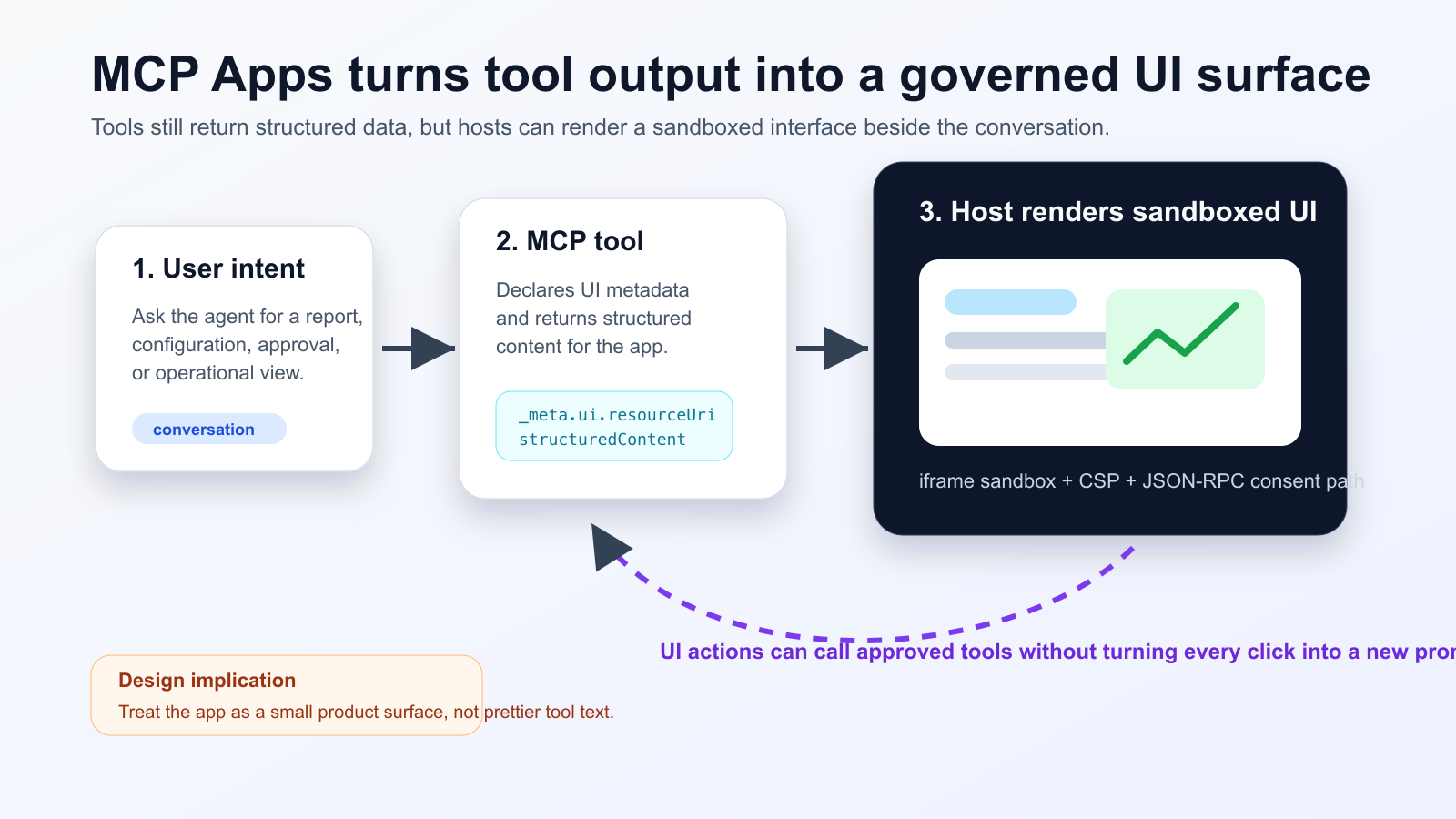
MCP Appsは、エージェントツールの結果をテキストだけでなく、会話内のサンドボックスiframeに表示されるインタラクティブUIとして返せるようにする拡張です。Nuxt MCP Toolkitの対応により、Vue SFCとしてUIを作り、ツール定義や追加呼び出しと結び付けられる流れが見えてきました。
何が変わったか
実務上は、モデルが読む要約とユーザーが操作する詳細データを分ける設計が必要です。状態を変更するボタンには同意、監査ログ、失敗時の復旧が欠かせません。
Practical checklist
- Keep the tool schema stable before designing the widget.
- Separate model-readable summaries from UI-only detailed data.
- Require explicit consent and logs for state-changing actions.
- Test iframe sandboxing, CSP, CORS and OAuth redirects in the real host.
- Track UI actions, tool calls and failures in one trace.
障害タイムライン、デプロイ承認、コスト分析、文書レビューには向いています。一方、短い回答だけで済む場面には過剰です。MCP Inspectorだけでなく、実際のホストでCORS、OAuth、iframeポリシーを確認してください。
The practical conclusion is simple: treat MCP Apps as a product surface for high-friction agent workflows, not as decoration for every tool response.
出典
- Model Context Protocol Blog: MCP Apps - Bringing UI Capabilities To MCP Clients
- Model Context Protocol Docs: MCP Apps overview
- Model Context Protocol SEPs index: SEP-1865 status
- Vercel Changelog: Nuxt MCP Toolkit now supports MCP apps
- Nuxt MCP Toolkit documentation
- Microsoft Learn: Add interactive UI widgets to declarative agents
- Microsoft Q&A: MCP Apps UI does not render in Copilot 365 Chat, used as practitioner signal
- Reddit r/ClaudeAI thread on MCP Apps traction, used as community signal