
MCP Apps превращает вывод агентов в продуктовый интерфейс
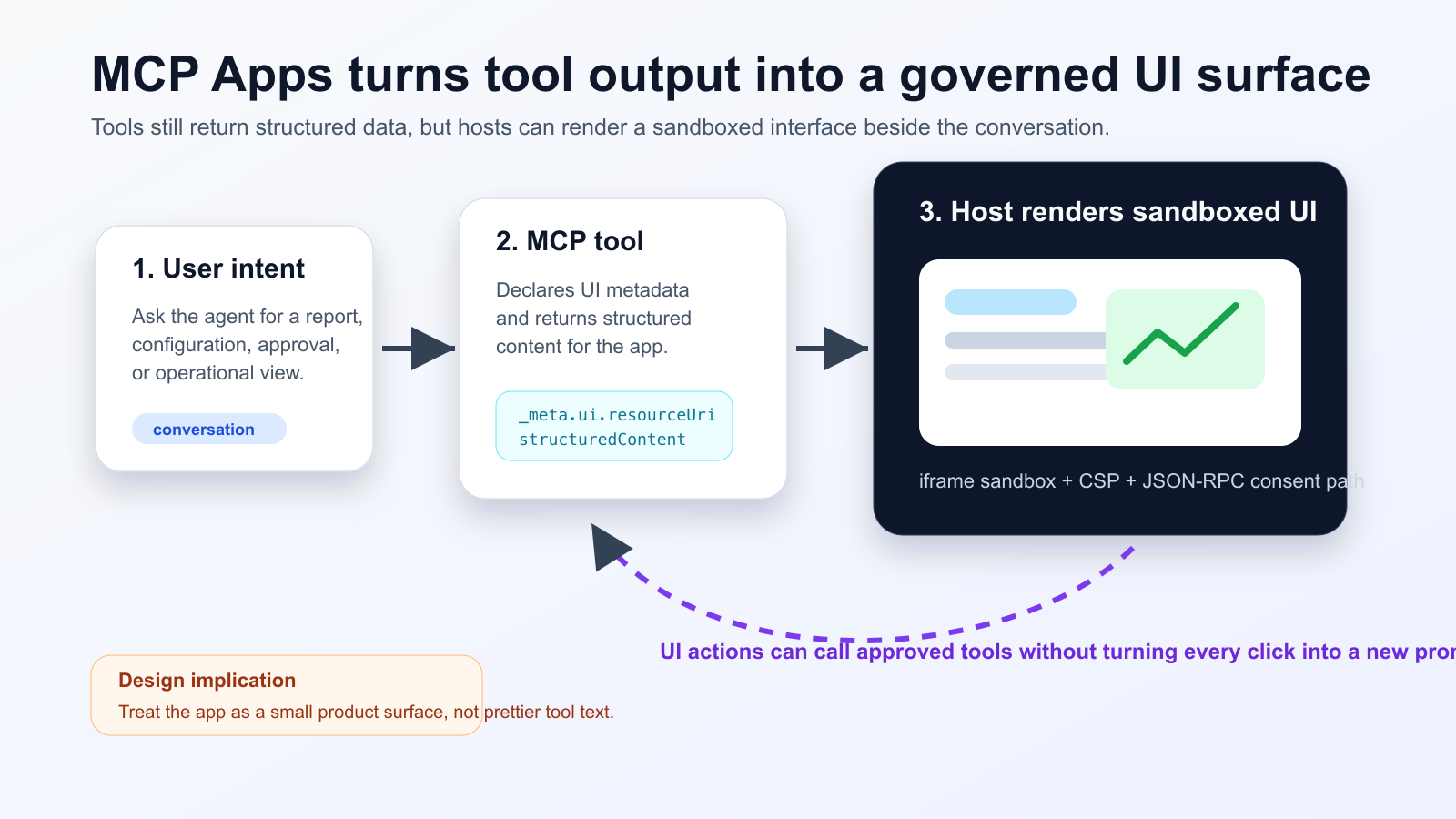
MCP Apps позволяет инструменту агента вернуть интерактивный HTML-интерфейс, который хост отображает в изолированном iframe внутри диалога. Поддержка Nuxt MCP Toolkit показывает, что этот подход становится частью обычного frontend-процесса.
Что изменилось
Командам нужно разделять данные для модели и данные для UI. Любое действие, меняющее состояние, должно иметь согласие пользователя, аудит и понятное восстановление после ошибки.
Practical checklist
- Keep the tool schema stable before designing the widget.
- Separate model-readable summaries from UI-only detailed data.
- Require explicit consent and logs for state-changing actions.
- Test iframe sandboxing, CSP, CORS and OAuth redirects in the real host.
- Track UI actions, tool calls and failures in one trace.
Хорошие сценарии: triage инцидентов, подтверждение релизов, финансовые панели, проверка документов. Для коротких ответов это лишняя сложность. Проверяйте настоящий хост, а не только MCP Inspector.
The practical conclusion is simple: treat MCP Apps as a product surface for high-friction agent workflows, not as decoration for every tool response.
Источники
- Model Context Protocol Blog: MCP Apps - Bringing UI Capabilities To MCP Clients
- Model Context Protocol Docs: MCP Apps overview
- Model Context Protocol SEPs index: SEP-1865 status
- Vercel Changelog: Nuxt MCP Toolkit now supports MCP apps
- Nuxt MCP Toolkit documentation
- Microsoft Learn: Add interactive UI widgets to declarative agents
- Microsoft Q&A: MCP Apps UI does not render in Copilot 365 Chat, used as practitioner signal
- Reddit r/ClaudeAI thread on MCP Apps traction, used as community signal