
Copilot CLI ทำให้เทอร์มินัลเป็นคอนโซลปฏิบัติการของ agent
เกิดอะไรขึ้น
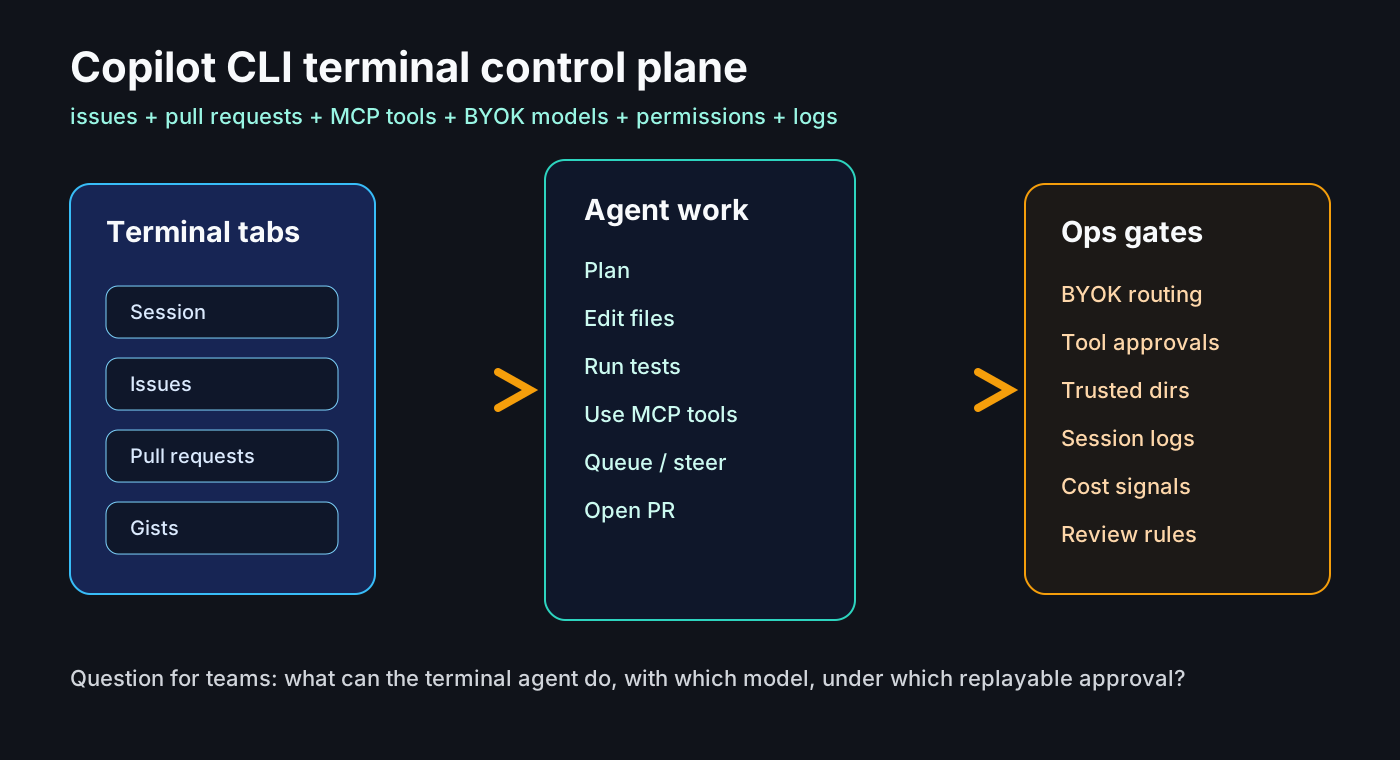
GitHub เปิดให้ใช้ UI เทอร์มินัลใหม่ของ Copilot CLI แบบทั่วไปในวันที่ 23 มิถุนายน 2026 โดยมี tab สำหรับ GitHub การตั้งค่า tool ใน session และการเข้าถึงที่ดีขึ้น
วันเดียวกัน GitHub ประกาศ BYOK ใน Copilot app รองรับ OpenAI, Azure OpenAI, Anthropic, LM Studio, Ollama และ endpoint แบบ OpenAI-compatible
ทำไมจึงสำคัญ
Agent ในเทอร์มินัลไม่ได้แค่แนะนำโค้ด แต่สามารถอ่าน repo รันคำสั่ง แก้ไฟล์ และทำงานกับ issue หรือ pull request ได้ จึงต้องมี rule เรื่อง trusted directory และ tool approval
สัญญาณจากชุมชน
ชุมชนสนใจเพราะ terminal ใช้ข้าม IDE ได้ แต่กังวลเรื่อง cost, shell compatibility, external provider และการเปลี่ยนแปลงที่เร็วมาก
เช็กลิสต์
แยก command ตามความเสี่ยง review MCP/plugin เหมือน dependency บันทึก BYOK data boundary เก็บ log และติดตาม cost ต่อ session
Agent ops checklist
• trusted directories
• tool approval levels
• BYOK data boundaries
• MCP/plugin review
• logs and cost per session
ความเสี่ยง
ความเสี่ยงหลักคือ approval fatigue, cost visibility ต่ำ และสิทธิ์ session กว้างเกินไป ต้องมอง CLI agent เป็นระบบปฏิบัติการจริง
แหล่งข้อมูล
- GitHub Changelog: Copilot CLI new terminal interface is generally available
- GitHub Changelog: GitHub Copilot app support for BYOK
- GitHub Changelog: queue and steer messages, debug logs, JetBrains agent updates
- GitHub Changelog: Copilot CLI supports enterprise BYOK models
- GitHub Docs: Using GitHub Copilot CLI
- GitHub Docs: Copilot CLI command reference
- Hacker News discussion: Copilot usage-based billing and developer concerns
- Reddit r/GitHubCopilot discussion: CLI as terminal-native agent surface