
Copilot CLI terminali ajan kontrol paneline çeviriyor
Ne oldu
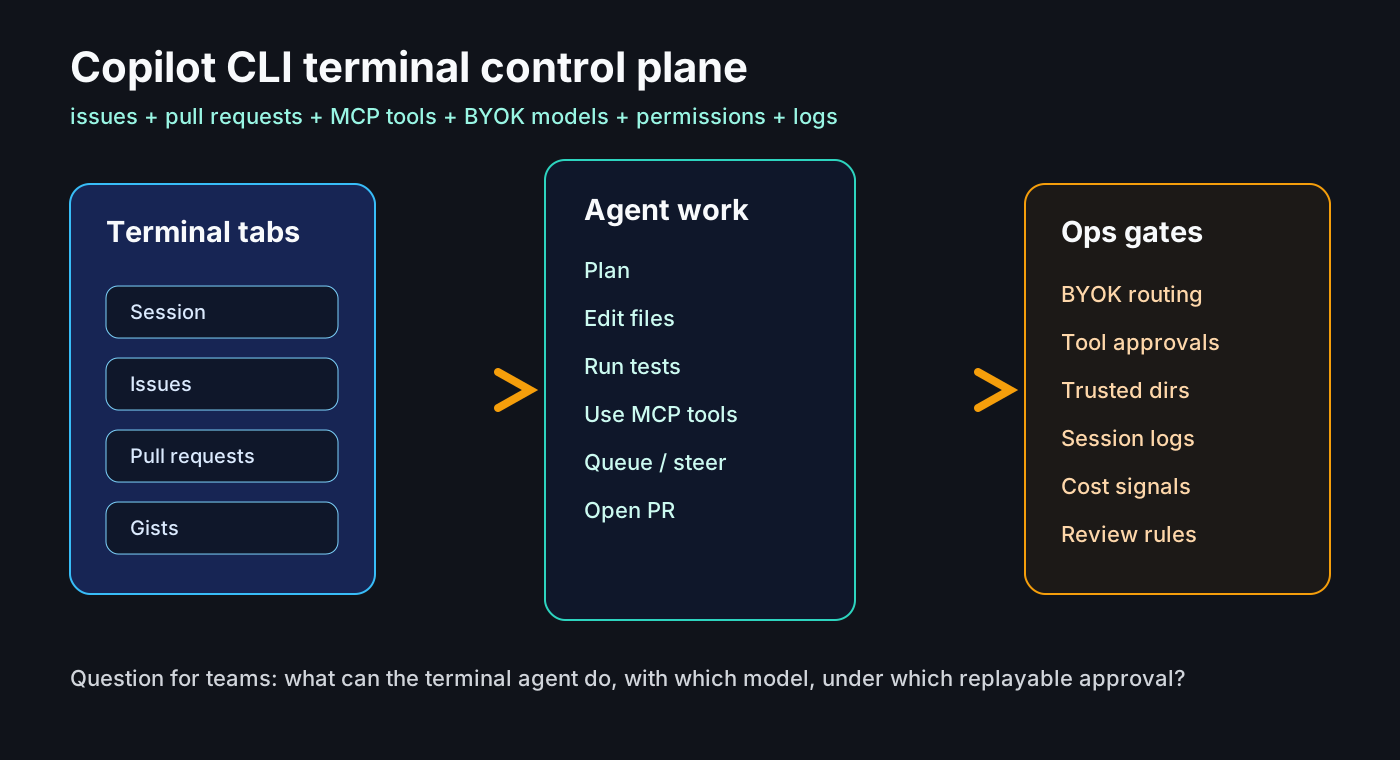
GitHub, 23 Haziran 2026’da Copilot CLI’nin yeni terminal arayüzünü genel kullanıma açtı. GitHub sekmeleri, araç yapılandırması ve erişilebilirlik iyileştirmeleri geldi.
Aynı gün Copilot app için BYOK duyuruldu. OpenAI, Azure OpenAI, Anthropic, LM Studio, Ollama ve OpenAI-compatible endpoint seçilebiliyor.
Neden önemli
Terminal ajanı dosya değiştirebilir, komut çalıştırabilir, test yürütebilir ve issue veya pull request ile çalışabilir. Bu nedenle trusted directory ve tool approval kuralları gerekir.
Topluluk sinyali
Topluluk terminalin IDE’den bağımsız olmasını seviyor; fakat maliyet, shell uyumluluğu, dış provider ve hızlı değişim konusunda kaygı var.
Kontrol listesi
Komutları riske göre sınıflandırın, MCP ve pluginleri dependency gibi inceleyin, BYOK sınırlarını yazın, log ve maliyeti session bazında izleyin.
Agent ops checklist
• trusted directories
• tool approval levels
• BYOK data boundaries
• MCP/plugin review
• logs and cost per session
Riskler
Onay yorgunluğu, görünmeyen maliyet ve geniş session izinleri temel risklerdir. CLI ajanı bir chat aracı değil operasyon yüzeyidir.
Kaynaklar
- GitHub Changelog: Copilot CLI new terminal interface is generally available
- GitHub Changelog: GitHub Copilot app support for BYOK
- GitHub Changelog: queue and steer messages, debug logs, JetBrains agent updates
- GitHub Changelog: Copilot CLI supports enterprise BYOK models
- GitHub Docs: Using GitHub Copilot CLI
- GitHub Docs: Copilot CLI command reference
- Hacker News discussion: Copilot usage-based billing and developer concerns
- Reddit r/GitHubCopilot discussion: CLI as terminal-native agent surface