
VS Code Agents window 與 BYOK:團隊需要一套 Agent 營運模型
近期 VS Code 更新不只是 Copilot 功能增加。Agents window、BYOK、遠端 session、整合瀏覽器與終端機安全,正在形成一個完整的 agentic 開發流程。
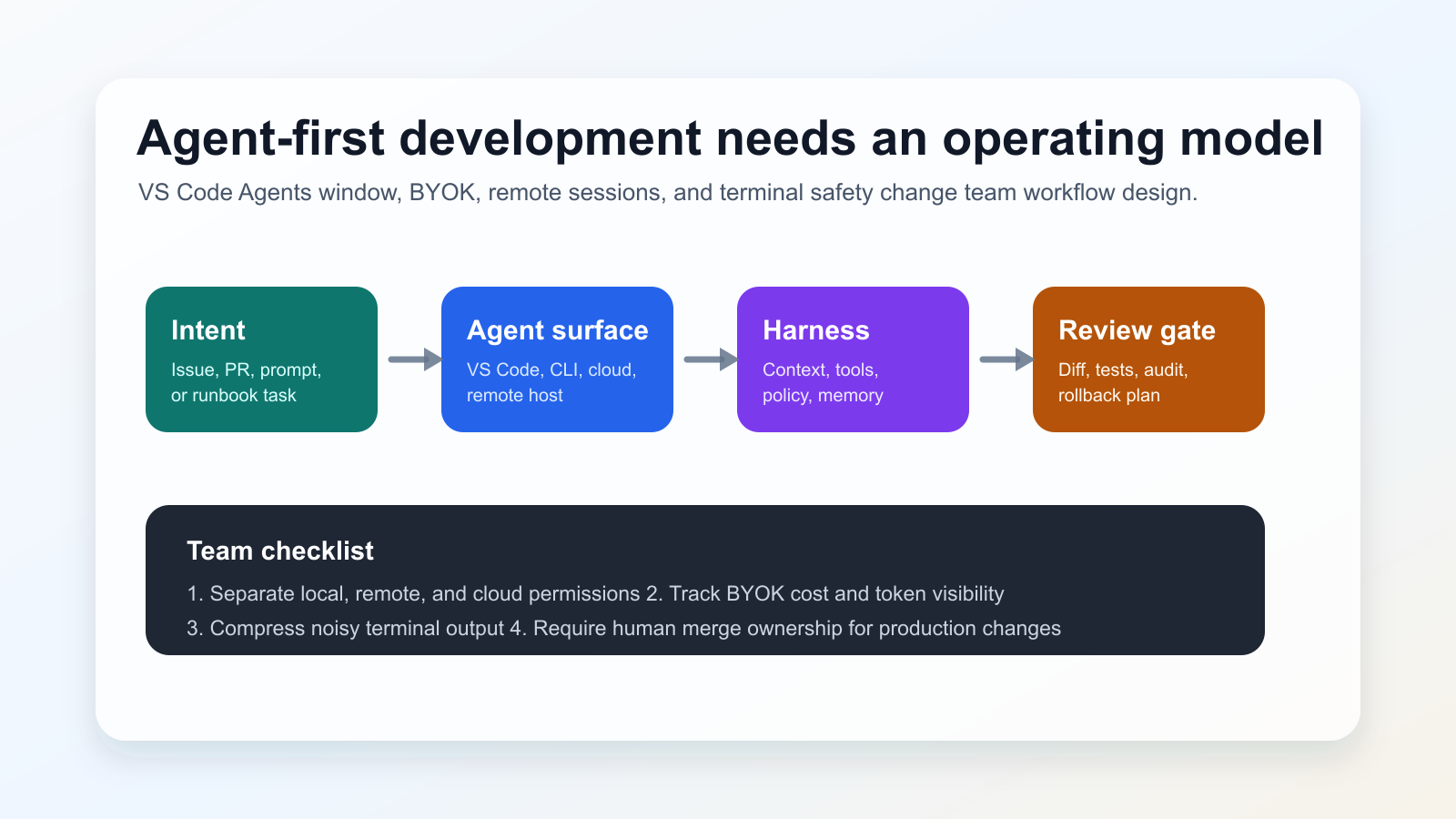
發生了什麼變化
GitHub’s June 3, 2026 changelog groups VS Code v1.120-v1.123 updates: Agents window in Stable preview, remote agents, Agent Host Protocol work, BYOK improvements, terminal output compression, risk assessment, and the VSCODE_AGENT environment variable. VS Code 1.122 also moves the Custom Endpoint provider into Stable and improves browser-based debugging support.
為什麼重要
成效不只取決於模型。harness 會組裝 context、開放工具、執行呼叫並回傳結果。因此團隊必須把 agent 視為開發平台的一部分來治理。
社群訊號
Developer discussions around VS Code 1.122 and local-model workflows show interest in BYOK and custom endpoints, but also concern about cost predictability, account policies, connectivity, and how much work should be delegated. These discussions are used here only as signals; factual claims rely on the official links below.
實作清單
- 區分本機、遠端與雲端 agent 的權限。
- 記錄 BYOK 的成本、資料邊界與 fallback。
- 在 PR 或日誌留下 agent 執行的命令與 diff。
- 正式環境變更的 merge 責任必須由人承擔。
風險
The main risk is over-delegation: long remote or cloud sessions can amplify unclear requirements. BYOK also increases operational responsibility because every provider adds policy, logging, quality, and failure-mode questions. Blocking all agent workflows is rarely practical, so teams need clear boundaries instead.
來源
- GitHub Changelog: GitHub Copilot in Visual Studio Code, May releases
- Visual Studio Code 1.122 release notes
- VS Code documentation: Use the Agents window
- VS Code documentation: Using agents in Visual Studio Code
- VS Code Blog: The Coding Harness Behind GitHub Copilot in VS Code
- Community signal: VS Code 1.122 discussion on r/GithubCopilot
- Community signal: local model and Agents window discussion on r/LocalLLaMA