
MCP Apps ทำให้ผลลัพธ์ของเอเจนต์กลายเป็นหน้าจอผลิตภัณฑ์
Tech
ยอดดู 173
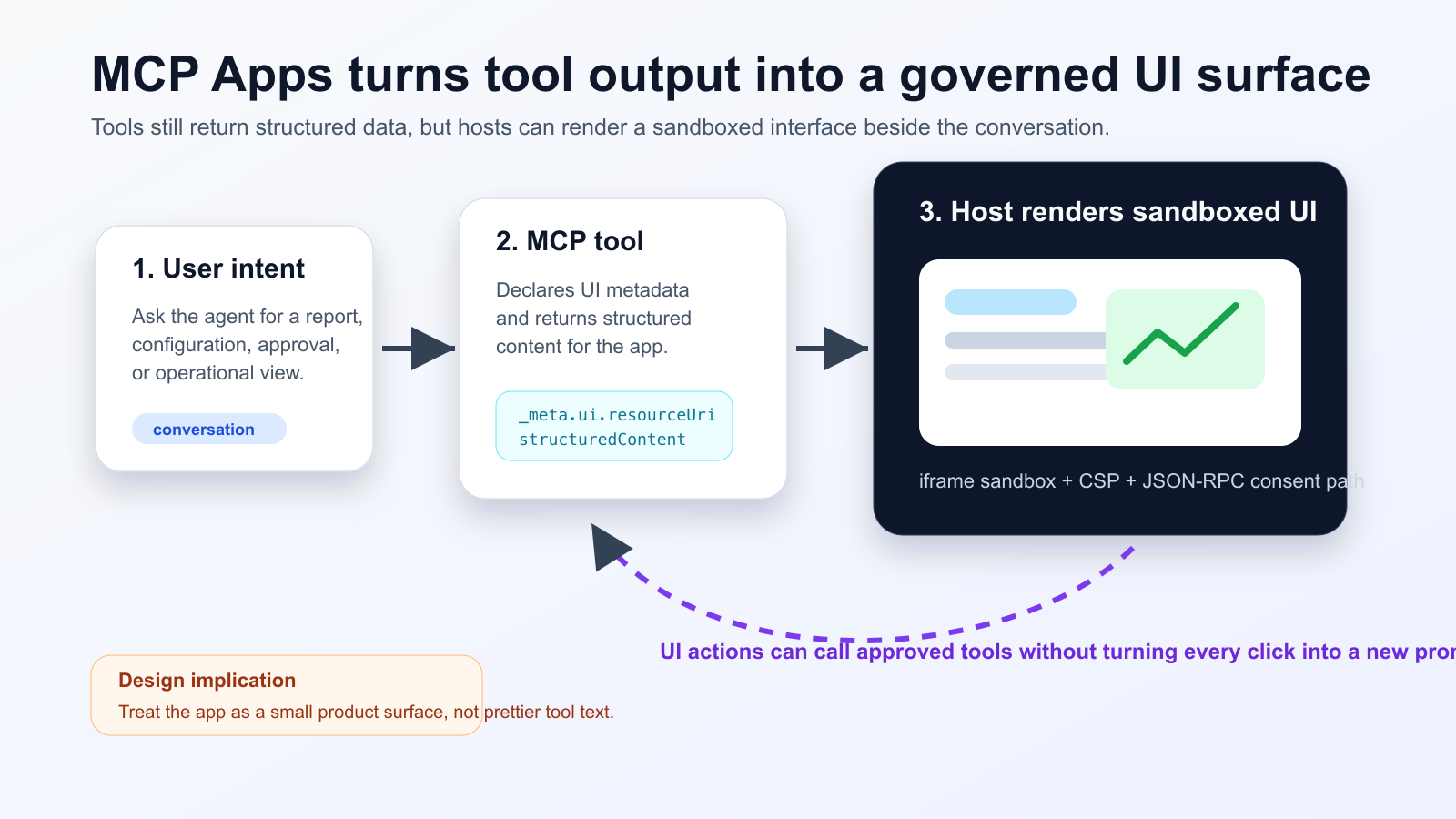
MCP Apps ทำให้ tool ของ agent ส่งกลับ UI HTML แบบโต้ตอบได้ โดย host แสดงผลใน sandboxed iframe ภายในบทสนทนา การรองรับใน Nuxt MCP Toolkit แสดงว่ารูปแบบนี้เริ่มเข้าสู่ workflow frontend จริง
สิ่งที่เปลี่ยนไป
ทีมควรแยกข้อมูลที่โมเดลต้องอ่านออกจากข้อมูลละเอียดที่ UI ใช้ ปุ่มที่เปลี่ยนสถานะต้องมี consent, audit log และแผนกู้คืนเมื่อผิดพลาด
Practical checklist
- Keep the tool schema stable before designing the widget.
- Separate model-readable summaries from UI-only detailed data.
- Require explicit consent and logs for state-changing actions.
- Test iframe sandboxing, CSP, CORS and OAuth redirects in the real host.
- Track UI actions, tool calls and failures in one trace.
เหมาะกับ dashboard, approval, incident triage และ document review แต่ไม่คุ้มสำหรับคำตอบสั้น ๆ ต้องทดสอบใน host จริง เพราะ CORS, OAuth และ iframe policy แตกต่างกันได้
The practical conclusion is simple: treat MCP Apps as a product surface for high-friction agent workflows, not as decoration for every tool response.
แหล่งที่มา
- Model Context Protocol Blog: MCP Apps - Bringing UI Capabilities To MCP Clients
- Model Context Protocol Docs: MCP Apps overview
- Model Context Protocol SEPs index: SEP-1865 status
- Vercel Changelog: Nuxt MCP Toolkit now supports MCP apps
- Nuxt MCP Toolkit documentation
- Microsoft Learn: Add interactive UI widgets to declarative agents
- Microsoft Q&A: MCP Apps UI does not render in Copilot 365 Chat, used as practitioner signal
- Reddit r/ClaudeAI thread on MCP Apps traction, used as community signal