
The Big One Bait Depleted Guide: Switch While Fishing, Restock in the Shop
Game
Views 238

The Big One is a casual fishing RPG built around casting, waiting, hooking, reeling, equipment progression, 150+ fish species, 10 fishing locations, and Fishpedia collection. One bait is consumed per fishing attempt, so a depleted message is a preparation signal rather than a crash.
How do I keep fishing when the game says there is no bait?
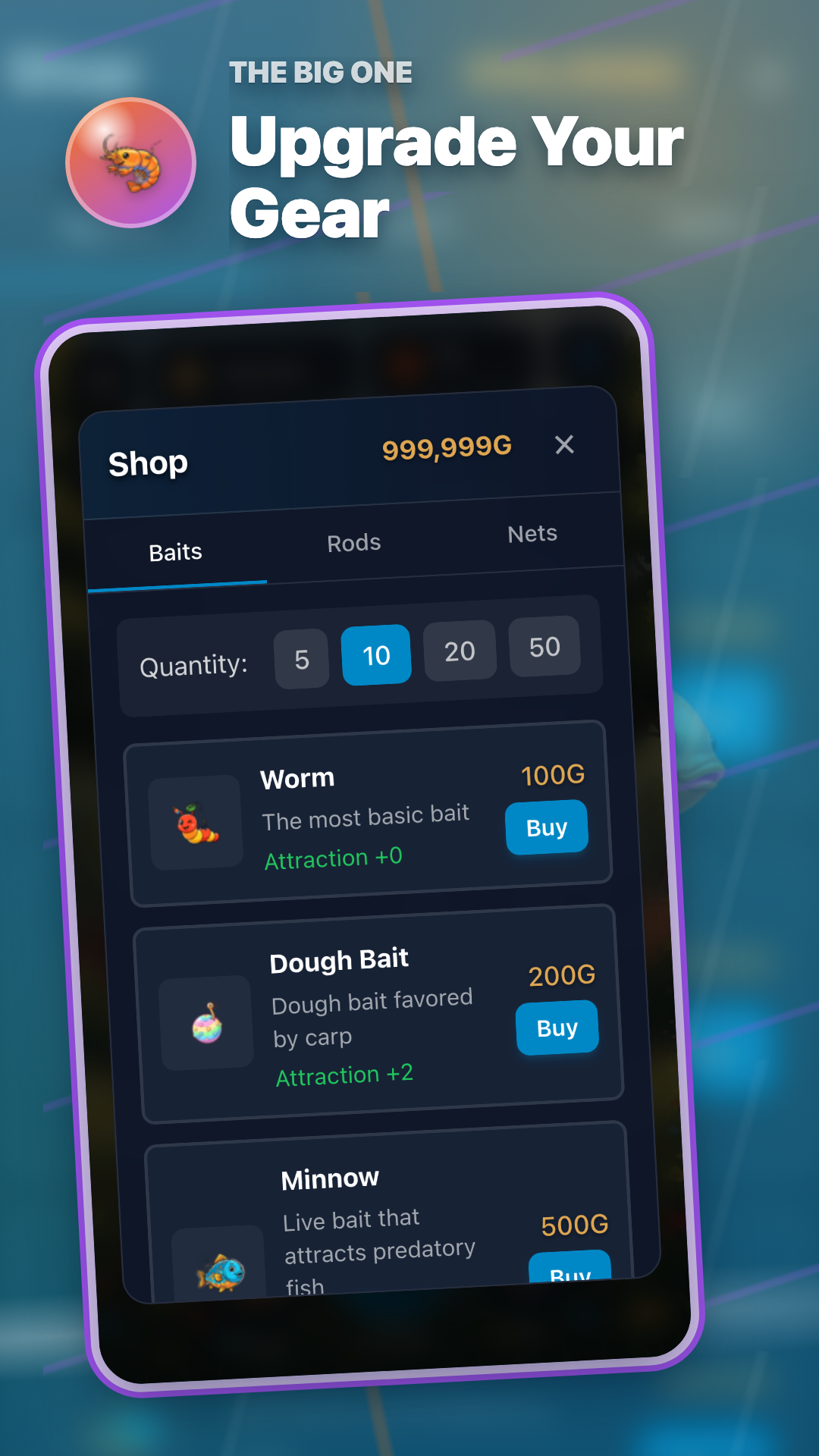
Use Change Bait on the fishing screen if another bait remains. If none is available, leave fishing, restock a basic bait from the Shop, equip it in Equipment, and return. Confirm the equipped badge and make sure the count decreases by one after each cast.


Four steps after bait runs out
Four steps after bait runs out
✓Check remaining bait through Change Bait.
✓Equip one available bait and cast again.
✓If all bait is gone, restock in the Shop bait tab.
✓Confirm Equipped and verify one unit is consumed per cast.
| Message | Meaning | Next action |
|---|---|---|
| Equipped bait depleted | Current bait reached zero | Switch to another owned bait |
| No usable bait | No bait remains | Restock in the Shop |
| No target for this premium bait | Lure and location do not match | Use basic bait or change location |
Continue with bait and beginner guides
- Reading The Big One Shop: Choosing Bait and Gems Without Pressure
- The Big One Basic Bait Routine: When to Switch from Worm to Shrimp
- The Big One Beginner Signal Guide: 5 Things to Check Before the Next Cast