
The Big One Equipment Icon Dev Diary: Reading Rods, Baits, and Nets at a Glance
The Big One is a casual fishing RPG built around casting, waiting, hooking, reeling, equipment progression, 150+ fish species, 10 fishing locations, and Fishpedia collection.
On the equipment screen, the first question is not a number; it is “what am I changing?” Rods, baits, and nets therefore need distinct shapes and color cues even at icon size.
Let the three equipment groups read first
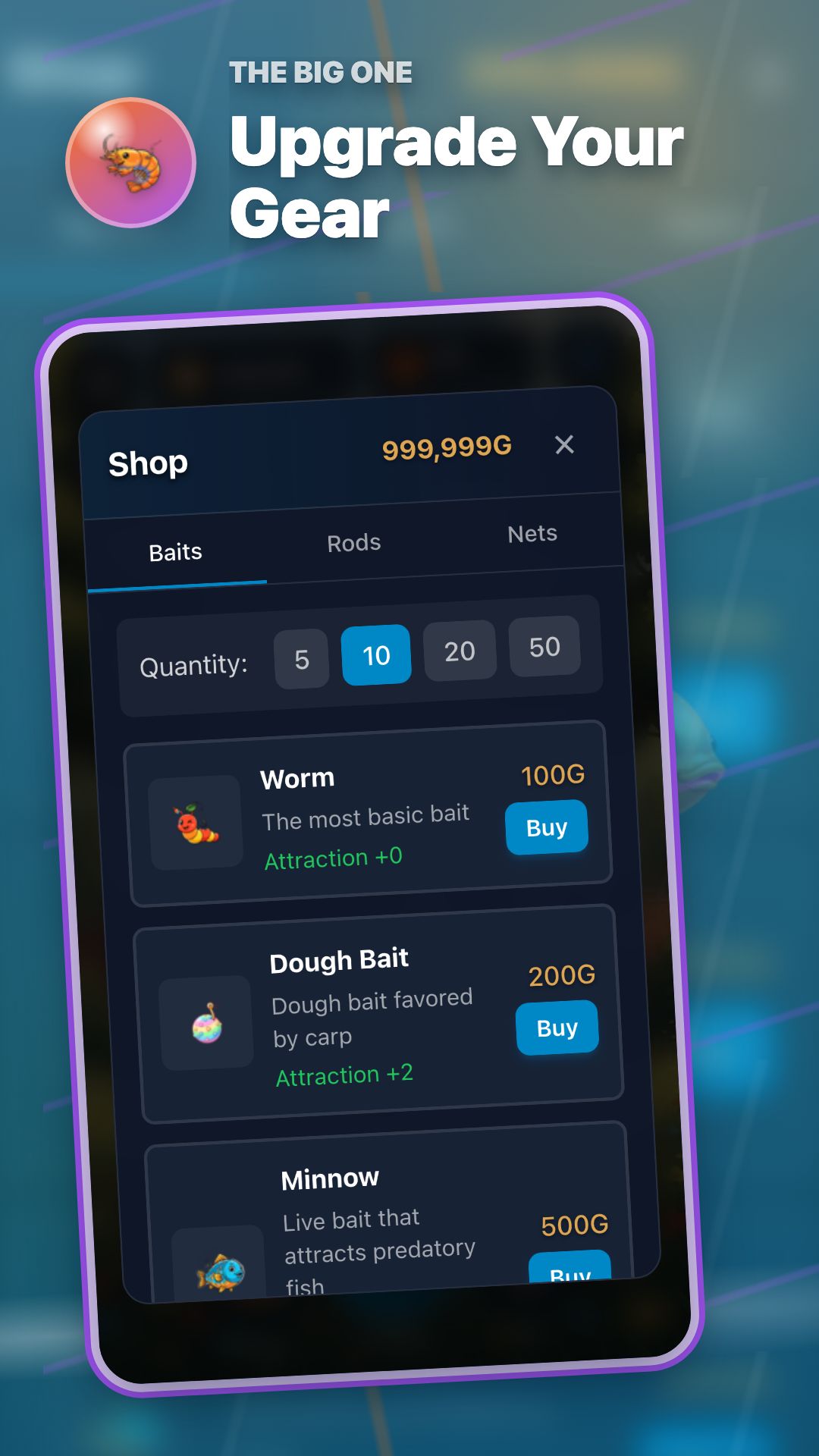
Equipment art that keeps its role at small size


Placing starter and later equipment side by side makes progression within a group visible without blurring the difference between groups.
Three questions every icon should answer
| Equipment group | Player question | Visual cue |
|---|---|---|
| Rod | Which tool will I take into reeling? | A long, rigid silhouette reads immediately as a rod. |
| Bait | Which bait will I cast with? | Ingredient shapes and colors separate one bait from another. |
| Net | Where will this session’s catch be held? | A rim and woven body signal a container for the catch. |
The reading order we kept during development
1. Recognize the group first: rod, bait, or net before reading the name.
2. Read the localized name next: the shipped in-game label sits beside the image.
3. Compare progression last: inspect the next option inside the same group.
A useful equipment icon is less a replacement for text than a signpost pointing to the right text. When changing gear, start with one purpose—rod, bait, or net—instead of evaluating all three slots at once.
Rod · Bait · Net · Fishpedia
Open the equipment screen on Android and iPhone/iPad
Install The Big One and compare the icons with their localized rod, bait, and net names.