
Vercel Changelogs Arrive in the Terminal: Turning Agent Recommendations into Reviewable Work
Even if an agent recommends the latest feature, whether that feature is needed for your project is a separate question. As the time required to find changelogs decreases, the number of candidates to review grows. What teams need is not just more summaries, but a process for recording what work was decided upon and on what basis.
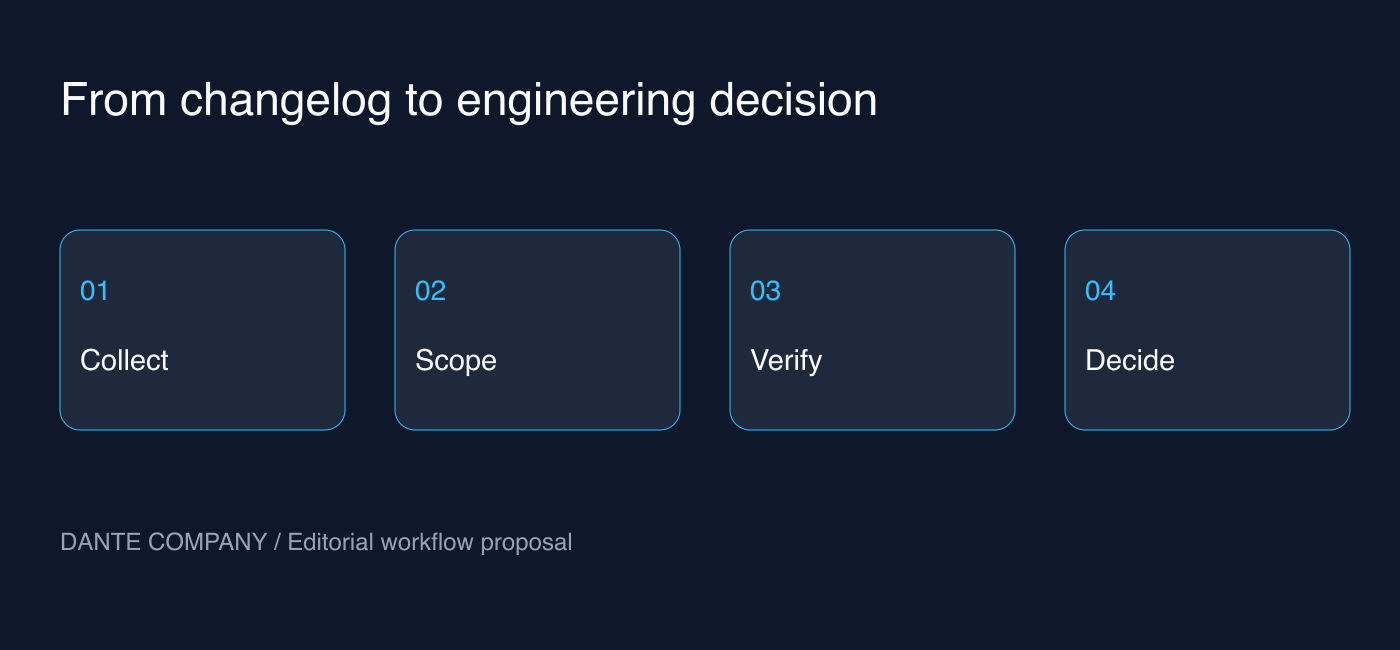
On September 9, 2026, Vercel announced the ability to read and search official changelogs directly from the CLI. This article distinguishes between the confirmed scope of the command and operational proposals for incorporating it into project reviews. It does not refer to a procedure for automatically bumping dependencies or changing configuration files.
Scope Provided by the Official Command
Running vercel changelog on Vercel CLI 59.6.0 or higher displays the full Markdown content of the five most recent announcements. You can set the count with the --limit option and search by keywords, such as vercel changelog search "AI SDK". The --json flag provides output intended for scripts or agents to read.
Check the options available in your installed environment using vercel changelog --help. The commands above are usage examples presented in the official announcement. This article does not claim to have executed commands on the reader's repository or validated the resulting JSON field names. Actual automation should be integrated only after verifying the output of the specific version in use.
Separating Collected Results from Execution Instructions
From this point forward are proposals for team operations. Treat changelogs as external data, and do not immediately interpret example commands or links within them as authorization to execute. The fact that it comes from an official source helps with fact-checking, but it does not replace approval to make changes in your own environment.
You can first have an agent summarize the announcement's title, date, original link, and prerequisites for application. Next, compare that against the features actually used in your repository. Separating these two stages reduces the risk of unrelated tasks slipping into your plan simply because they are new features.
Creating a One-Page Application Note
For a small team, notes do not need to be lengthy. You only need to write down what changed, whether our project is affected, which user flows are impacted, and what to verify after applying it. If there is no clear impact, concluding that it will not be applied at this time is equally valid.
For example, if you read an announcement related to deployment, first verify whether it pertains to our deployment path. If a change only applies to the development environment, do not frame it as an improvement to customer-facing screens. If applicability is limited to a specific plan, region, or version, do not omit those conditions from the note.
Search Broadly, Verify Narrowly
Choose search terms based on products currently in use or problems you are trying to solve. Do not conclude that a feature does not exist simply because there are no search results; check if the terminology in the official documentation differs. Conversely, just because multiple announcements turn up in search does not mean you must apply them all at once.
Once you select a single candidate, define a small verification task tailored to the path you intend to change. If it is an environment variable configuration change, you can check in which environments the value is interpreted; if it is a response behavior change, you can verify whether existing user flows remain intact. These examples illustrate review methods and are not statements describing automated testing features provided by this CLI capability.
Evidence to Retain When Connecting to Automation
Store the original URL together with the retrieval timestamp, and verify whether the same announcement has already been reviewed. Comparing only dates can cause you to miss edits to existing announcements or gaps in data collection. It is advisable to inspect the actual output structure, establish stable identification criteria, and avoid treating a failed query as a day with no new updates.
Do not assume the field structure will remain identical forever simply because JSON output exists. If parsing fails, flag it as requiring verification of the original source and halt subsequent changes. A failure in automated reading must never lead to speculative modifications of deployment configurations.
Questions to Evaluate Within the Team and Community
We present no basis for generalizing how all developers reacted to this feature. Instead, the questions your team should validate are specific: check whether the time spent locating announcements has decreased, duplicate reviews have diminished, and applicability conditions are attached to recommendations. Effectiveness must be confirmed through actual work records.
There are also counterarguments. For teams that already review changelogs regularly, terminal access might not make a significant difference. Merely increasing automated collection causes unread notifications to pile up. Therefore, rather than forwarding every announcement, it is more practical to retain only those items where a responsible owner must make a decision.
A Small Scope to Start Today
Pick one keyword directly relevant to your current project and read a single official announcement. After noting down the prerequisites and the user flows to verify, record a conclusion: apply now, investigate further, or defer. If deferring, noting the condition under which it should be reviewed again helps prevent repeating the same discussion.
The value of the new command lies in connecting the word "latest" to verifiable source material. The next step is the team's responsibility. Only recommendations accompanied by evidence, scope, and verification outcomes can be passed on to other developers for evaluation.