
Installing a GitHub App on an enterprise does not unlock repository code
A script that reads company GitHub settings can become unexpectedly personal when it depends on the token of someone who has left. On October 23, GitHub announced general availability for enterprise installations of GitHub Apps, expanding the administrative workflows that can move away from classic PATs. The interesting detail is the meaning of “enterprise-wide”: installing an app on an enterprise does not give it access to all the code inside that enterprise.
What the enterprise app can manage
The announcement covers enterprise repository policies and rulesets, reading bypass requests, and administrative controls such as IP allowlists. An app that gathers bypass requests for a review screen, for example, can consider read access to Enterprise bypass requests. Reading a request and changing the rule are separate operations with different permission requirements. Adopting the feature is no reason to enable every available write permission.
An enterprise installation grants enterprise permissions only. Even if the app registration also requests organization or repository permissions, that installation does not grant them. A tool that reads code from two development organizations needs separate installations in the relevant organizations with the required repository access. Being able to inspect enterprise settings while a code request is denied can therefore be consistent with the intended access model.
One app can have several installations
Imagine an enterprise called acme with web and mobile organizations. Install the same app on the enterprise and on both organizations, and there are three installations. An enterprise installation token cannot substitute for the web organization token; the web token cannot cross into mobile. The illustration below is an original explanation of this fictional example, not a GitHub product screen or a real customer account.
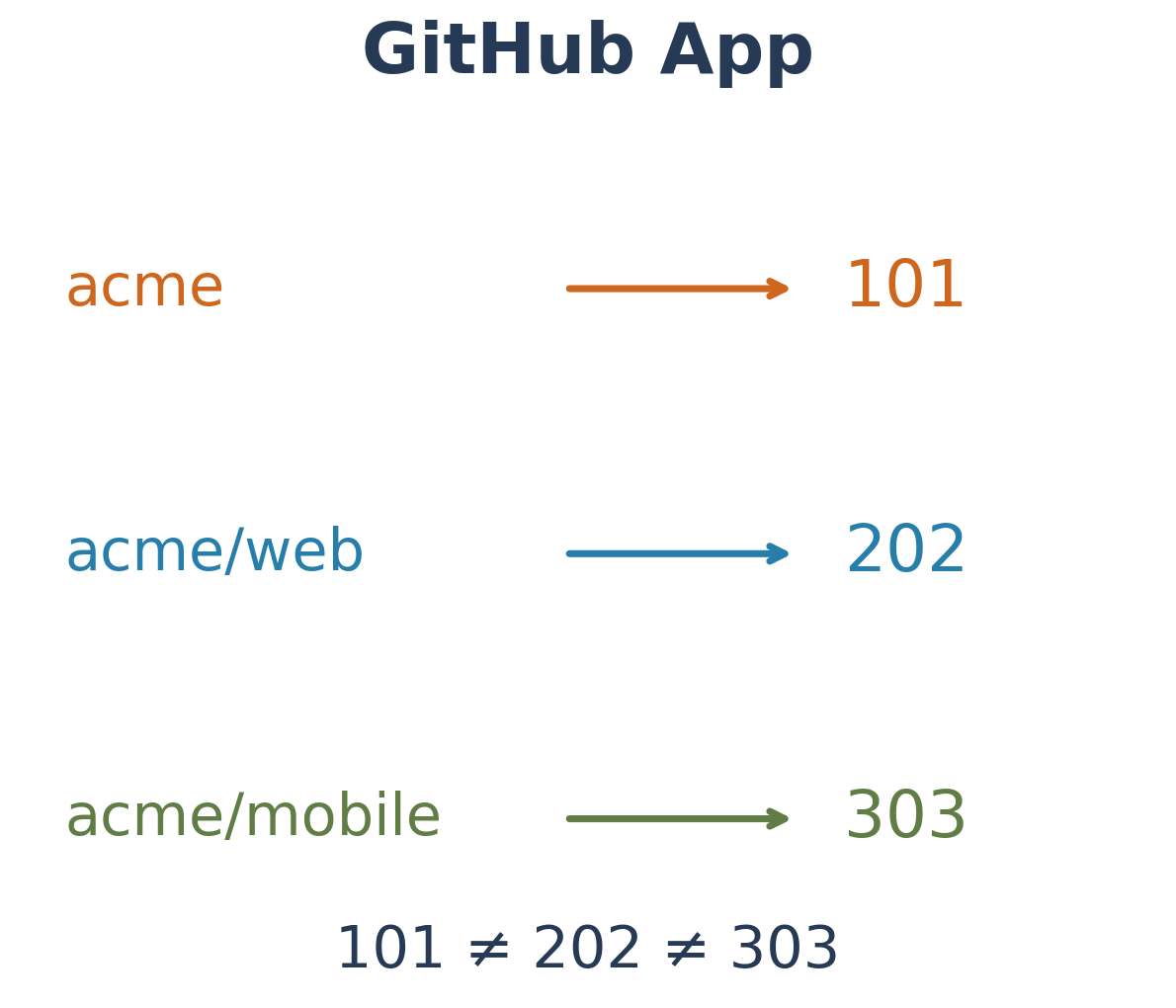
That distinction matters when designing a token cache. Using the app name as the only cache key can mix credentials intended for different accounts. Including the installation ID helps keep the enterprise-policy job from reusing the token for a repository-reading job. This is an implementation example that translates the documented account boundary into application structure.
Where app and user permissions meet
Acting as an installation also differs from acting on behalf of a user. A user access token depends on both the app’s permissions and the user’s permissions. An app with write access cannot use that user token to exceed a user’s read-only access. An installation access token instead acts within the app permissions granted to that installation.
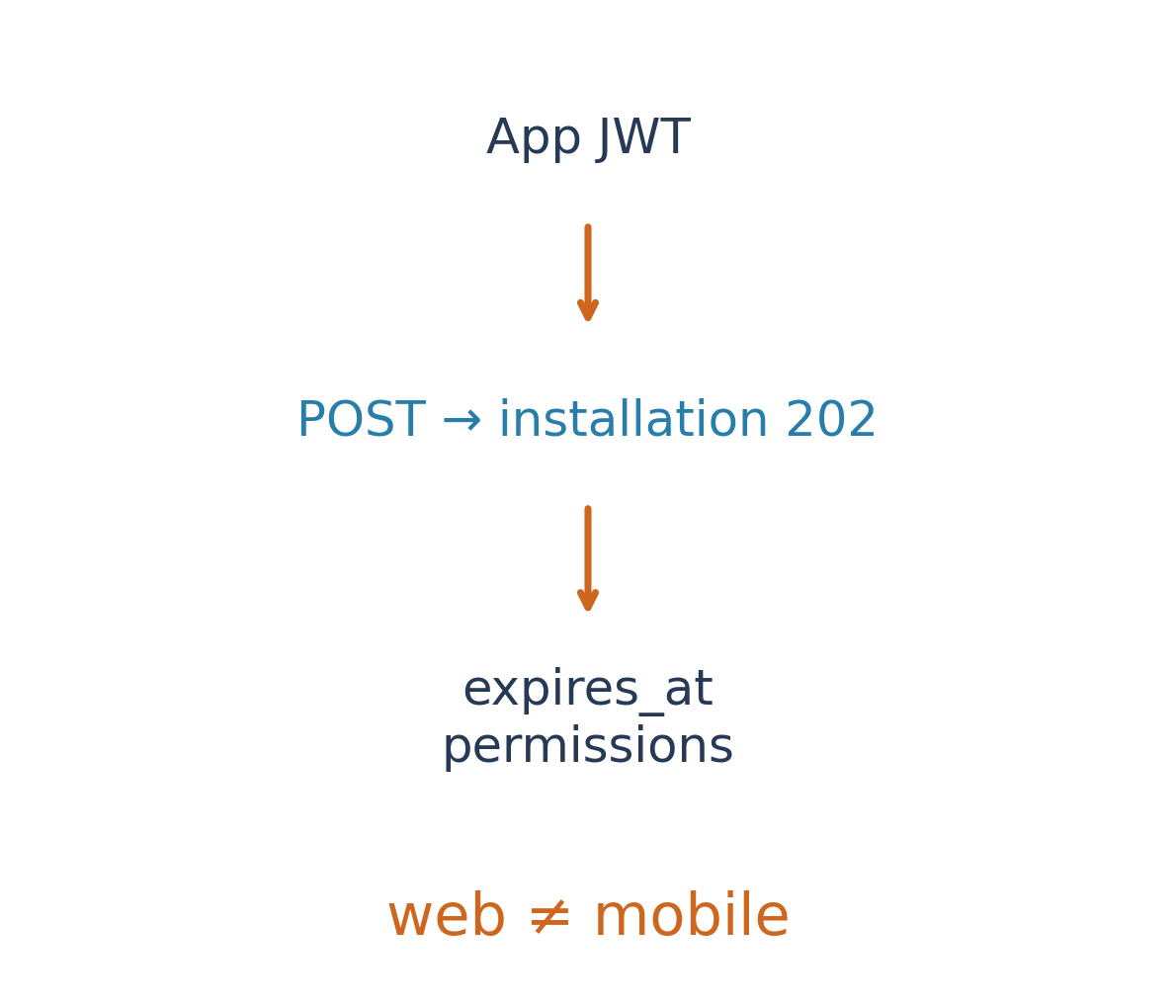
To obtain an installation token, the app uses its JWT and the intended installation ID. The documentation describes POST /app/installations/INSTALLATION_ID/access_tokens and a one-hour token lifetime. Octokit can generate and regenerate these tokens after expiry. Short-lived credentials offer a different operating model from copying a personal PAT indefinitely, but the app private key still needs protection and cached tokens still need installation-specific identities.
What remains before replacing a personal token
If an existing script combines enterprise-policy queries and code queries across organizations, replacing a token string may not be enough. Separate the enterprise work from organization work, then check whether each API supports GitHub Apps and which authentication mode the operation needs. Not every enterprise GraphQL operation supports apps. Moving a read-only operation first makes it easier to compare results and understand the boundaries.
There is also a documentation timing mismatch: the October 23 changelog says generally available, while the installation page checked today still contains public-preview wording. This article uses the dated announcement for release status and the current documentation for installation and permission scope. The useful change is the ability to describe an automation by its account and task, instead of copying all the broad authority of the person who originally wrote it.
Sources and further reading
GitHub Docs · Enterprise installation