
After the first macOS 14 brownout: record the build environment before changing labels
If yesterday's iOS build cannot obtain a runner today, reverting application code is not necessarily the first useful move. The first scheduled macOS 14 brownout ran from October 5 at 14:00 UTC to October 6 at 00:00 UTC, or October 5 at 23:00 to October 6 at 09:00 KST. Check the failure time and the selected label first.
GitHub's October 1 announcement says the macOS 14 image will retire on November 2. Using that announcement and the official image inventory, checked October 6, 2026, this article proposes a migration review that goes beyond replacing a string. The review sequence is an engineering suggestion, not a procedure mandated by GitHub.
A brownout is different from retirement
The affected labels are macos-14, macos-14-large and macos-14-xlarge. Completion of the first temporary interruption does not cancel the November 2 retirement. The announcement also lists further brownouts and possible capacity reductions; a job working again is therefore insufficient evidence that migration can be postponed safely.
The next listed interval is October 12 at 14:00 UTC through October 13 at 00:00 UTC, equivalent to October 12 at 23:00 through October 13 at 09:00 KST. Compare your run logs and service status before assigning a cause. A published interruption schedule does not explain every failed job, and a source defect may still require investigation.
Read the replacement's CPU architecture
The announcement recommends arm64 alternatives including macos-latest (macos-26), macos-15 and their listed xlarge variants. The official image inventory also distinguishes ordinary macos-15 and macos-26 arm64 labels from certain large or intel x64 labels. An OS name alone is not enough to identify the environment that builds your release.
Teams moving from macos-14-large should explicitly compare the original architecture with the candidate runner. Native dependencies, simulators, caches and packaging are useful places to look for environment differences. Their actual impact depends on the project and must be tested; this article does not certify a library or toolchain as compatible with every replacement.
Keep the commit constant to isolate the change
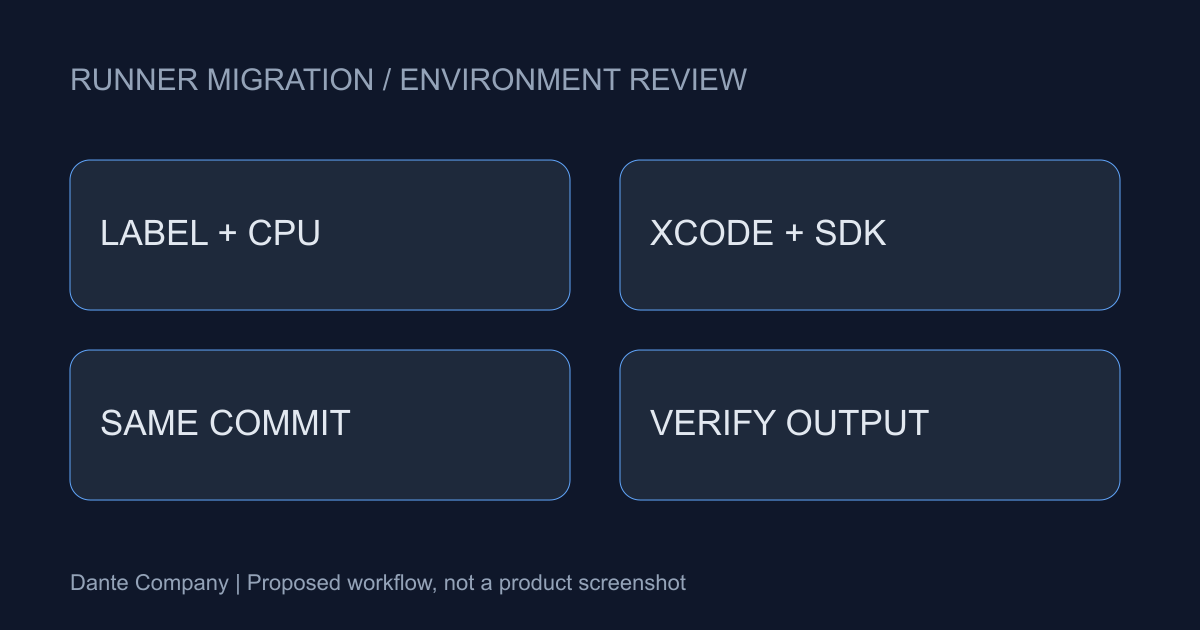
Record the label actually selected, OS, CPU, Xcode, SDK and dependency lockfile from the existing workflow. Then build and test the same commit with the same lockfile on the candidate runner. Avoid combining source changes with the migration experiment so that a difference has a smaller set of possible causes.
Inspect outputs as well as green checks. For an app, review the generated archive, test results and the required signing and export stages using your project procedure. Also check a run that does not rely solely on a reused cache. Reproduction in the new environment makes the limits of your migration conclusion easier to state.
latest is not an environment pin
The official repository explains that latest labels point to the newest stable OS and that migrations may be gradual. Where reproducibility matters, an explicit version label plus the actual image details makes comparisons easier. An explicit version, however, is not a promise that an image will be supported forever.
Using latest is not inherently wrong. A team able to absorb changes promptly can pair it with continuous verification and an incident response process. The practical decision is less about a preferred label than about who detects a change, what evidence they preserve and when they roll back or repair the workflow.
Leave a successful comparison and an owner
Reactions to CI interruptions raise a useful operational question: runner lifecycles belong in release planning too. This article does not claim a measured community outage frequency or damage total. The official schedule and evidence from your own workflows should support the change decision.
Find workflows and reusable workflows that still reference macOS 14, and save a comparison run for a candidate environment. Record an owner, next review date, candidate label, actual tool versions and unresolved failures together. The interval after a brownout is a practical opportunity to complete verification before the next interruption.