
Quickly check API response and webhook payload with Base64 decoder
When looking at webhook logs or authentication-related APIs, there are cases where part of the payload comes in Base64.
Although it looks like a password on the surface, Base64 is not an encryption but a way of expressing data as text. So if you quickly decode it first, you will find the cause much faster.
In this case, it is a good idea to open the Dante Tools Base64 tool available directly in your browser and immediately check the string copied from the log. https://tools.dante.company/en/tools/base64
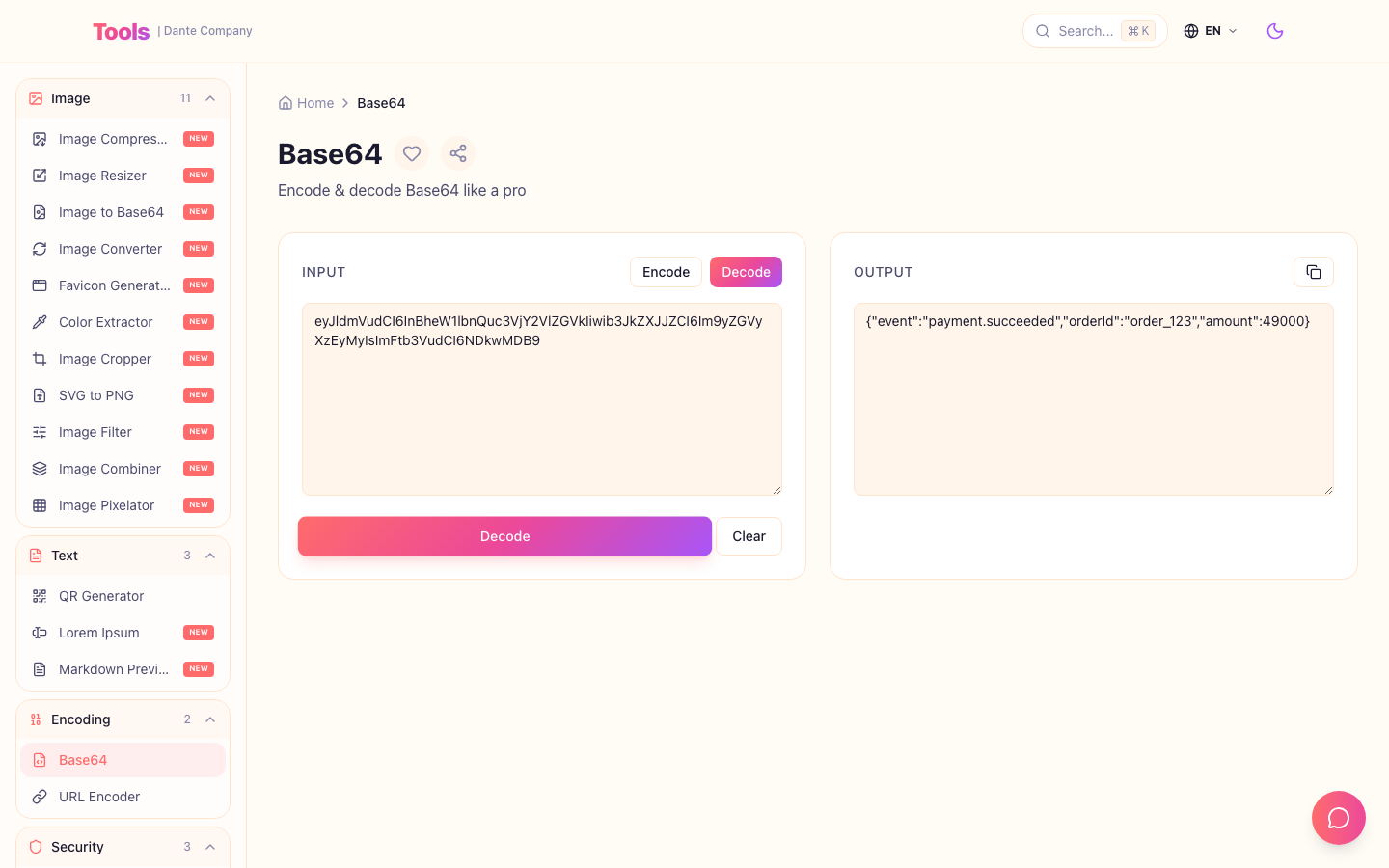
By pasting and decoding the string, you can immediately check whether the payload is JSON or simple text.
When is it best to use it?
The most realistic situation is when checking payment webhooks or external API logs.
For example, if only a long string like the one below remains in the log, first decompose it into Base64 and check whether the event name and order number are included.
eyJldmVudCI6InBheW1lbnQuc3VjY2VlZGVkIiwib3JkZXJJZCI6Im9yZGVyXzEyMyIsImFtb3VudCI6NDkwMDB9practical routine
- Copy only strings that appear to be Base64 in the log.
- Paste it into the decoding area of your Base64 tool.
- If the result looks like JSON, move it to the JSON Formatter and clean up the indentation.
- Verify that the event name, order number, amount, and timestamp are as expected.
- Any values containing tokens or personal information must be removed before capture or chat sharing.
Check before deployment
- Make sure you haven't copied the string with any quotation marks or spaces.
- If the decoding result is broken, check whether it is URL-safe Base64 and whether padding characters are missing.
- Also double-check that you haven't pasted the entire operational token into an external tool or public chat.
Base64 is not a device to hide problems, but is often a representation that needs to be read quickly when debugging.
Even a small routine to decode it right in the browser can significantly reduce webhook debugging time.
Go to tools:
https://tools.dante.company/en/tools/base64
Good tool to use together:
https://tools.dante.company/en/tools/json-formatter
Original blog post:
https://blog.dante.company/en/articles/base64-api-debugging-guide